Family Shared Calendar: The Complete Guide for 2026
A family shared calendar keeps every appointment in one place so nobody double-books. See how it works, which features matter, and how to get the family on it.
Shared CalendarsA family shared calendar is a single digital calendar that everyone in the household can see and add to from their own phone. School runs, work trips, football practice and dentist appointments all live in one place, synced across devices, so two events never land on the same slot and one person stops carrying every date in their head.
The rest of this guide covers how it actually works, the features that decide whether it sticks, how OneHaus handles the parts most apps get wrong, and a practical plan for getting a reluctant partner or teenager to use it.
How a family shared calendar works
You already have a calendar on your phone, so what makes a shared one different? Two things: shared visibility and updates that sync across devices. Everyone sees the same schedule, and when anyone changes it, the change syncs to every other device.
Say you add "Sophie's piano lesson" for Tuesday at 4pm from your phone. It shows up on your partner's phone and the family tablet next time they open the app. That shared view is what stops the "I didn't know that was today" moments and the double-bookings that follow.
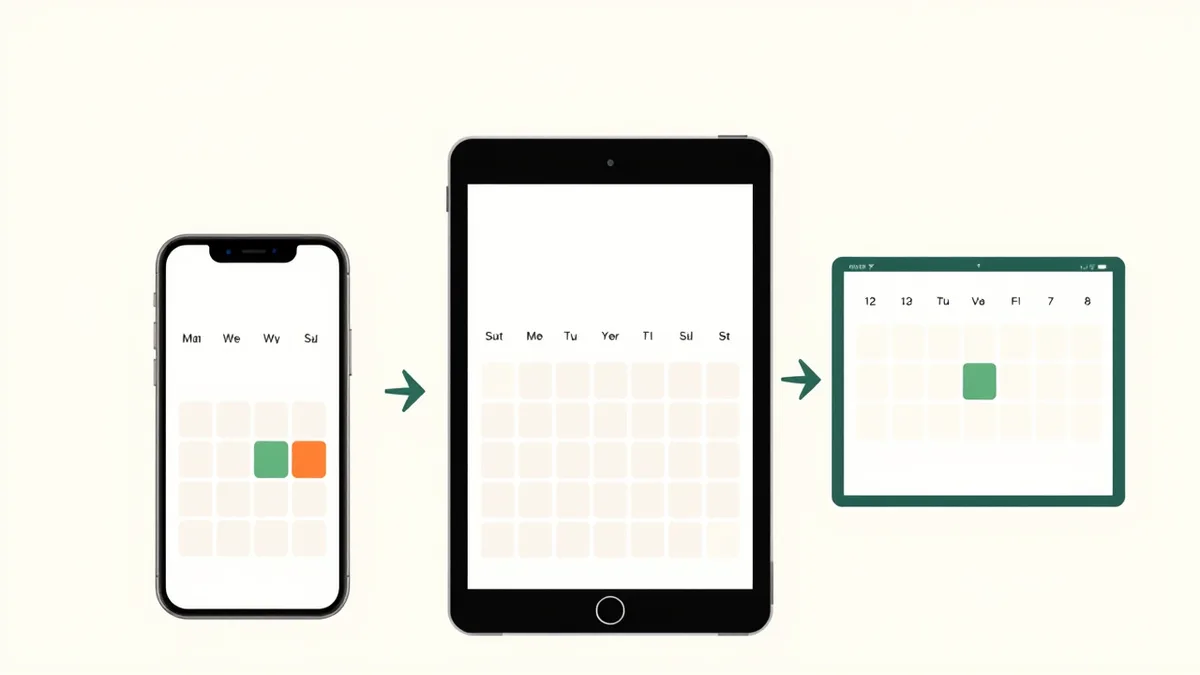
Underneath, the idea is simple. One central calendar connects to every family member's device. When someone adds an event, deletes a practice or moves a meeting, the system syncs that update to everyone's devices. The whole family ends up looking at one reliable picture of the week.
In practice it comes down to a few functions:
- Shared event creation: Anyone with access can add an event, from "Dad's dentist appointment" to "school bake sale." That entry becomes the official record.
- Colour-coding: Give each person a colour and you can see at a glance whose week is packed and who is free.
- Automatic reminders: Set a reminder for "Mum's flight lands at 8pm" and everyone who needs to know gets notified, so you stop being the family's reminder service.
A family shared calendar gets the schedule out of one person's head and into a space everyone can see, use and add to.
A typical week shows how it flows. On Monday your partner blocks out a work trip Thursday to Friday in blue, and you immediately know to keep those evenings free. On Tuesday your teenager adds Saturday's football match in green. On Wednesday a parent-teacher meeting email lands, you add it, and set a reminder for both parents an hour before. No texts, no phone calls, and the week is clear.
What most apps miss: getting events in
Here is the part the glossy feature lists skip. The hardest job is not viewing the calendar, it is getting events into it. A typical family fields dozens of dated items a month off school flyers, club emails, fixture lists and appointment cards, and keying them in by hand is the chore that quietly kills adoption. A calendar that is painful to fill stays half-empty, and a half-empty calendar is the one nobody trusts.
This is where OneHaus is built differently. Instead of typing every event by hand, you can hand it a photo of a school newsletter or paste in an email, and its built-in AI reads the dates, times and titles and turns them into calendar entries you confirm with a tap. The mental load of transcription disappears, which is the real reason a shared calendar saves time, not the colour coding.

If your family lives across other calendars too, OneHaus can sync with your phone's calendar, so a work meeting from Outlook or Google can show up next to the school nativity. By default that sync runs one way, out to your phone; turn on two-way sync in settings and changes flow both ways instead. That single picture is the whole point of a shared system.
OneHaus can also pull outside dates straight into the shared calendar: national and religious holidays for your country, plus any calendar published as an ICS or webcal link such as school term dates, club fixtures or bin collection days. See how to add holidays and calendar feeds for the full walk-through.
Ready to stop retyping the school calendar? Start a free 30-day OneHaus trial and add your first week in minutes.
How a shared calendar lightens the mental load
Switching to a shared family calendar changes more than admin, it changes the rhythm of the house. The biggest weight it lifts is the invisible work of remembering: every dentist appointment, school trip and birthday party that usually lives in one parent's head. When the calendar becomes the single source of truth, it does the remembering for you.

When a school event goes in, everyone who needs it sees it. When an appointment is booked, the reminder is automatic. That shift frees up real mental space, and it spreads the load. Teenagers add their own plans and learn to manage their time. Your partner sees your travel schedule, so planning together stops needing a dozen back-and-forth texts.
It also turns scheduling into teamwork:
- Solve clashes early: Spot that two people need to be in different places weeks ahead, not the night before.
- Coordinate without talking: Adding "Chloe's football match" tells the family what is happening and where, no group chat required.
- Share responsibility: When your son adds his work shifts, he sees how his commitments fit the bigger picture.
The less time you spend juggling logistics, the more energy you have for actually being together.
Choosing the right family calendar app
The market is full of family calendar apps, from bare-bones to bloated. The best one is not the one with the most features, it is the one your family will actually use: cross-device sync, effortless event entry (photo capture and email import matter more than any other feature, because they decide whether the calendar gets filled), colour-coding, flexible reminders, and calendar sync with the Google, Apple or Outlook calendar you already use, including a two-way option. Watch for "free" headlines that hide limits, like a capped free tier or a hardware display with a subscription on top.
The real test of a shared calendar is whether the least tech-savvy person in the house can add an event without help. If they can't, it won't get used.
For the full side-by-side comparison, with current pricing, see our guide to the best shared family calendar apps of 2026.
How to get your family actually using it
The fanciest app is digital clutter if no one fills it in. There is one insight that decides whether a shared calendar sticks, and it is not about the app at all: the biggest predictor of success is whether the second parent actually uses it. The tool doesn't create the habit, consistent use does. Get both parents entering events and the calendar becomes the source of truth. Leave it to one person and you are back where you started.

Hold a 5-minute family kick-off
Don't just send app invites. Spend five minutes together framing the calendar as a win for everyone. Tell your teenager that if their plans are on it, you won't book a family dinner over them. Tell your partner they'll see your travel and never have to ask. Answer "what's in it for me?" for each person.
Then agree a few simple rules on who adds what:
- Parents: work schedules, household appointments, school-wide events.
- Teenagers: their own social life, sports and part-time shifts.
- Everyone: if it affects anyone else, it goes on the calendar.
Frame the shared calendar as a tool for independence, not control. When people see it as a way to protect their own time, they actually use it.
Smooth over the usual hurdles
For a tech-resistant partner, start tiny. Add one recurring event together and solve a single pain point, like ending the constant "are you free Tuesday?" texts. One small win opens the door. The photo-to-event capture helps here too, because they never have to learn fiddly forms.
For a reluctant teenager, make it about their freedom. Plans on the calendar mean that time is protected, and it quietly teaches them to manage their own schedule.
Once both parents are in the habit, the calendar becomes the place everyone instinctively checks. Try OneHaus free for 30 days and set up your family's week tonight.
Frequently asked questions about family shared calendars
Which family shared calendar app is best?
The best app is the one your family will actually use. Beyond a clean interface and reliable syncing, the feature that decides it for most families is how easily events get in, so look for photo and email capture rather than the longest feature list. See our full comparison for how the main options stack up.
How do I get my teenager to use it?
Frame it as freedom, not surveillance. Once their plans are on the calendar, you stop asking where they're going and you won't book family things over their plans. Give them full ownership of adding their social life, sport and study time, and they'll buy in faster.
Can a shared calendar really reduce my mental load?
Yes. Most of the load comes from one person being the keeper of every date. A shared calendar outsources that: it remembers the appointments, sends the alerts and makes the whole schedule transparent. With photo and email capture, you don't even have to type events in, which removes the most tedious part of the job.
Does it sync with my existing Google or Apple calendar?
Yes. OneHaus can sync with your phone's Google, Apple or Outlook calendar. By default that sync sends OneHaus events out to your phone; turn on two-way sync in settings if you also want existing appointments to flow into OneHaus automatically. (If you would rather wire up sharing yourself, both Google and Apple document how to share a calendar directly.)
What if my partner isn't tech-savvy?
Start simple. Spend 10 minutes setting it up on their phone together and add one or two events. Focus on the single biggest benefit for them, like seeing your travel days without asking. Keep the first goal small and they'll build confidence from there.
Related guides
- How to share a calendar on iPhone
- How to share a Google Calendar on iPhone
- Add holidays and calendar feeds to your shared home
- How to set a reminder the family will actually see
- The best family organisation apps for 2026
- Household chore management guide
- Co-parenting app guide: keep two households in sync
- OneHaus for families