Up and running in minutesNo card needed
Your whole home. One app.
Three steps and the household is in sync. The first one takes a tap.
Download OneHaus
Install it on iPhone or Android. It takes about a minute.
5.0 · 4 ratings on the App Store Scan to install



Free for 30 days · No card needed
Create your home
Give the place a name. Creating it starts your free trial.
Invite your household
Everyone gets the same shared home. One subscription covers them all.



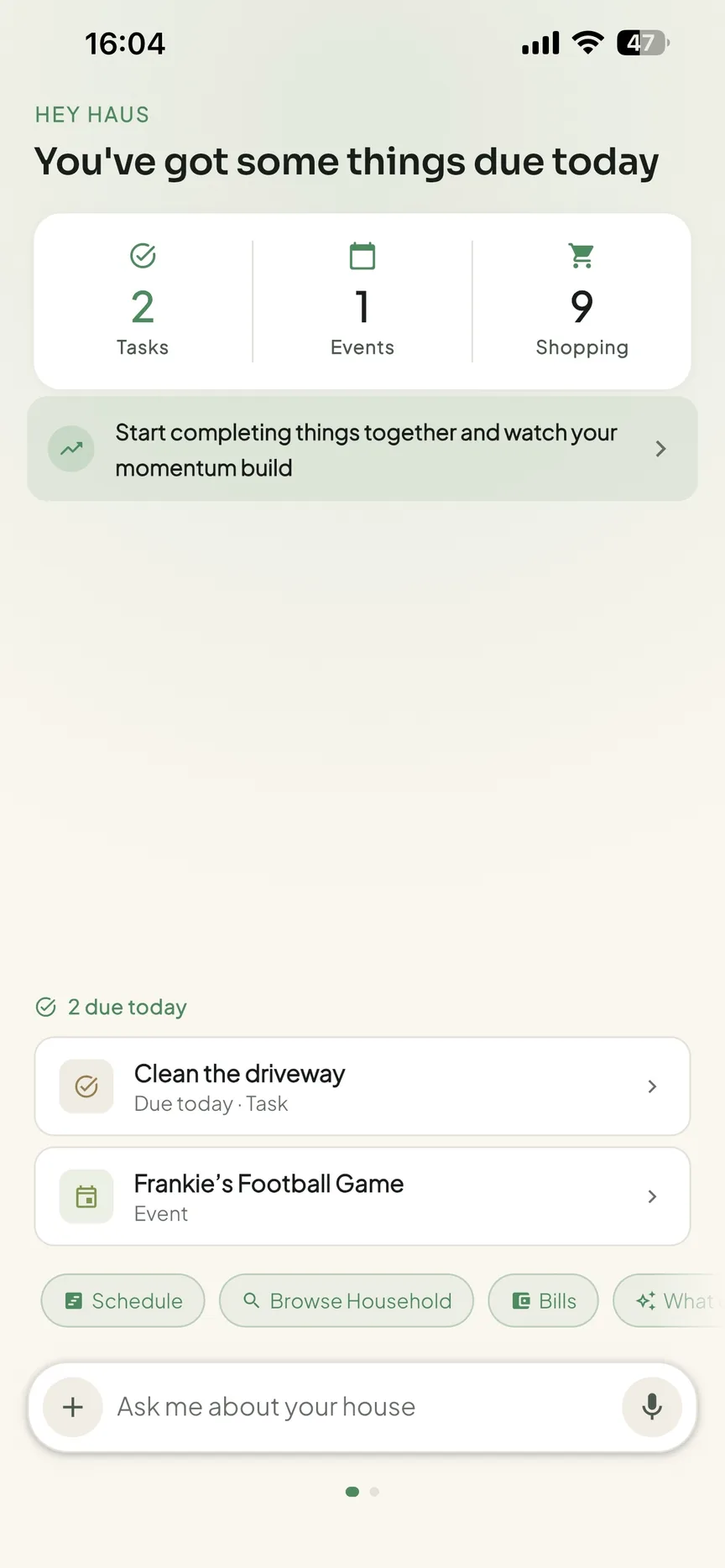
What's inside
Everything comes with you.
Calendar. Tasks and chores. Shopping and meals. Home admin. And when you invite your household, everyone sees the same home, kept in sync across every phone.

- CalendarSchool runs, appointments, birthdays and plans, shared with everyone.
- Tasks and choresAssign jobs, rotate chores automatically, keep recurring jobs recurring.
- Shopping and mealsPlan the week, build the list, let everyone add what they need.
- Home adminWarranties, MOTs, insurance, documents and renewal dates you'll actually find.
Use OneHaus everywhere
Connect the AI assistant you already use.
Run your household in plain language from the tools you're already in, ask what's on this week, add to the shopping list, or reschedule without leaving the chat.
Questions
Before you tap download.
Put your whole home in one place.
Free for 30 days · Then £4.99/month · Cancel anytime
On Android? Get it on Google PlayScan to installFree for 30 days · Then £4.99/month · Cancel anytime