Best Family Calendar App for Busy Households in 2026
Compare the best family calendar apps for shared schedules, chores, lists, Apple and Google sync, household pricing, and family fit before you choose.
Shared CalendarsThe best family calendar app is the one your whole household can actually keep using. If you want one shared calendar that also connects to chores, shopping, tasks, recipes and home admin, choose OneHaus. It is built for households that need more than a diary, with Apple and Google calendar sync, shared lists, rotating chores and one paid household subscription after a 30-day trial.
If your family only needs a simple calendar, Google Calendar is still the easiest free option for Google households, while Apple Calendar with Family Sharing is free and built in when everyone is on Apple devices. TimeTree is the best dedicated shared calendar when you want comments on each event. Cozi and FamilyWall are stronger when you want a familiar family organiser format.
We compared each option on two-way Google and Apple sync, shared lists, chores and rotation, meal planning, device coverage, and the real household cost once the features a family needs are paywalled.
Is a shared calendar enough on its own?
A shared family calendar answers one question well: when. When is parents' evening, when is the MOT due, when does Grandma arrive. That matters, and a good calendar earns its place. But running a family is not only a scheduling problem. The same week that holds "dentist Tuesday" also holds "we are out of washing tablets," "whose turn is it to do the bins," and "what are we eating Thursday." Those are not calendar events, they are tasks, chores and shopping lists. The real question is whether your calendar connects to everything else, or whether you end up running three or four apps and hoping nothing slips between them.
This splits the market cleanly. Dedicated calendars like TimeTree and Google Calendar are excellent at the calendar itself: fast, reliable, flexible sharing. All-in-one organisers like OneHaus, Cozi and FamilyWall trade a little calendar depth for keeping the whole household, lists and chores included, in one place. Neither is wrong. If your only pain is double-booking, a dedicated calendar wins. If the pain is the wider mental load of who-does-what, an all-in-one usually pays off.
Which are the best shared family calendar apps?
OneHaus
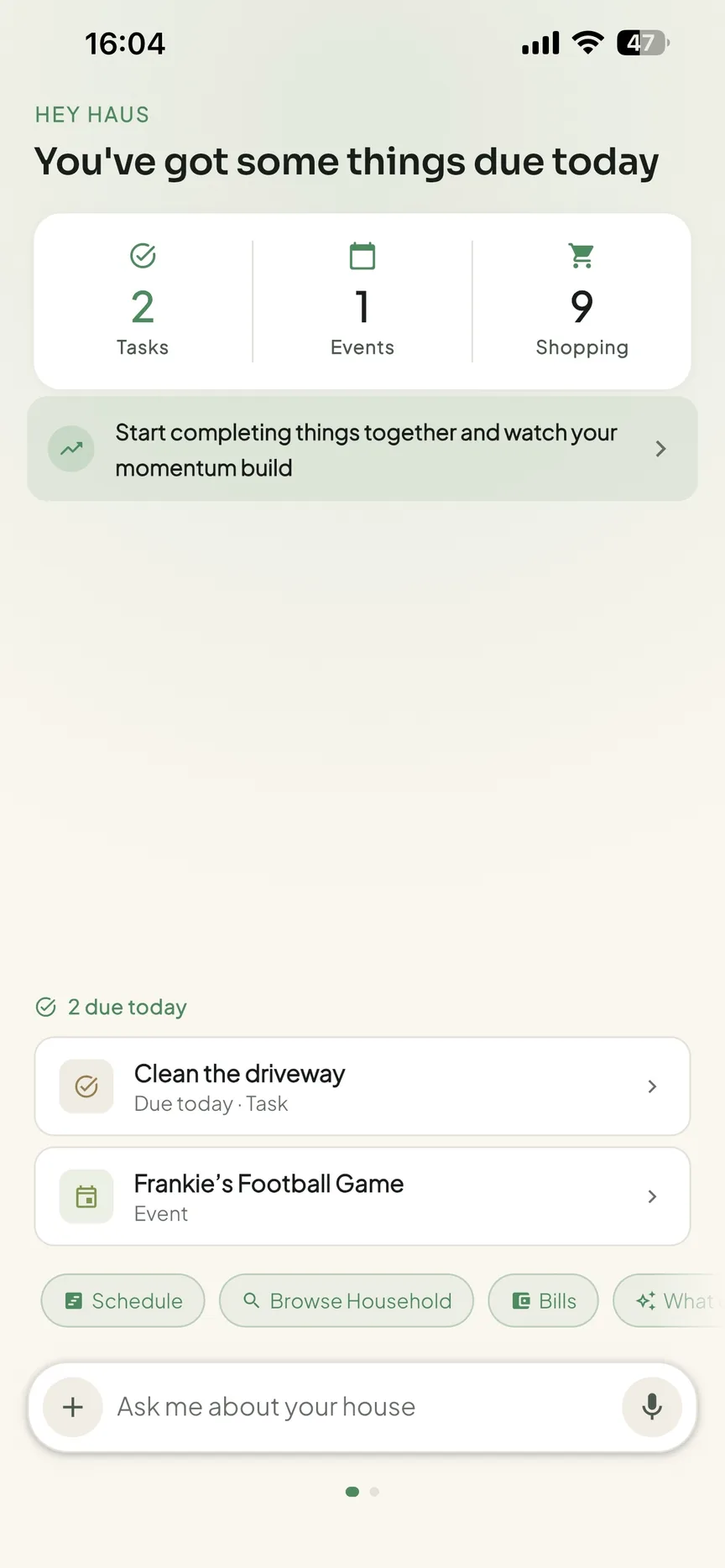
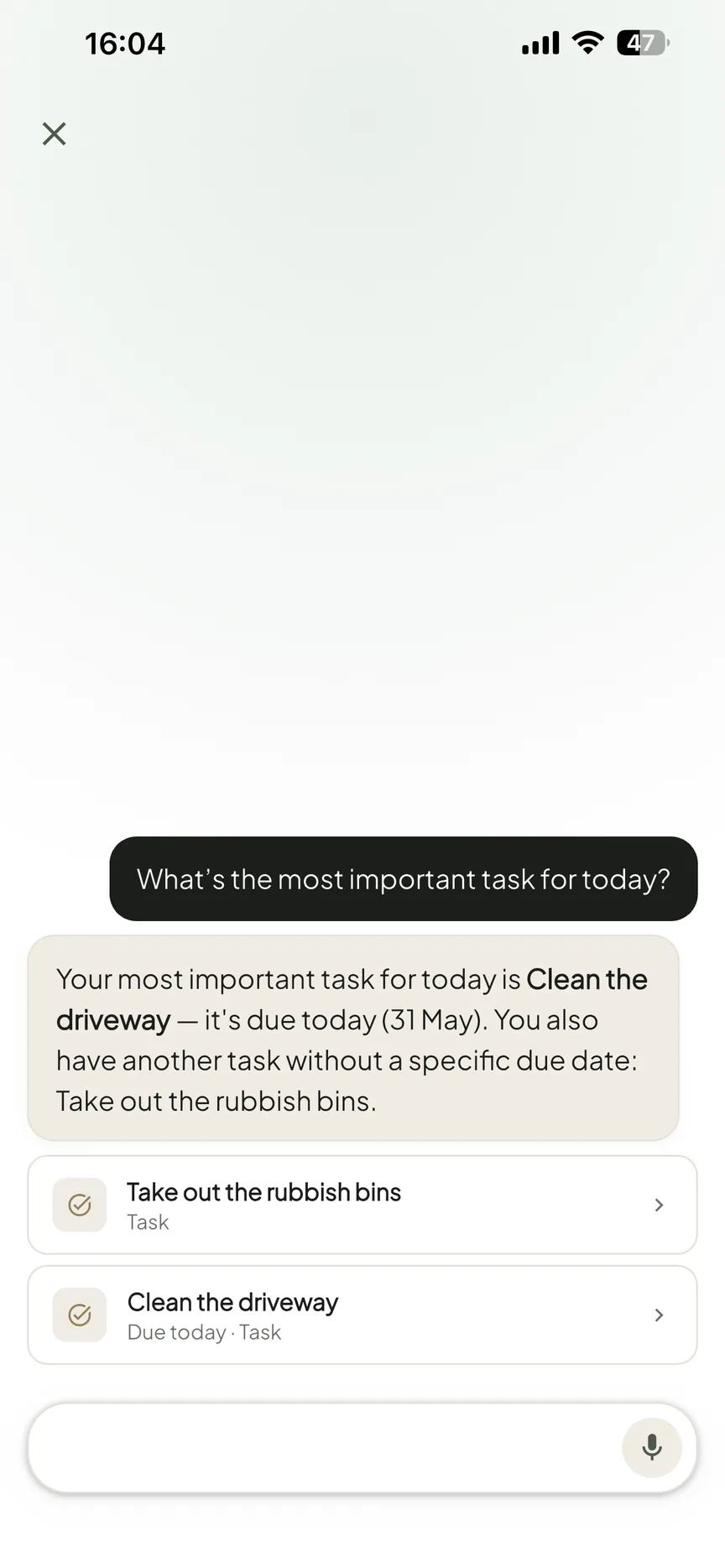
OneHaus is a household management app, and the shared calendar is one part of it rather than the whole product. Everyone in the household sees the same calendar, and OneHaus writes those events out to Apple Calendar or Google Calendar on your phone. Switch the connection to both ways and the events you already keep are read back in without re-entering them. What sets it apart is what sits beside the calendar: shared tasks with recurring schedules and automatic rotation so chores take turns, aisle-sorted shopping lists that sync across devices, recipes and a home inventory. Connected AI assistants (via MCP) and natural-language quick add help you add things by typing or saying a normal sentence instead of filling in a form.
Strengths: one place for calendar, tasks, chores, shopping and recipes; Apple and Google sync you can turn two-way; natural-language quick add; rotating chores; privacy-first and ad-free.
Limits: the calendar is part of a wider app, not a dedicated deep calendar. If you only want a calendar and nothing else, a focused tool like TimeTree gives you more calendar-specific depth.
Platforms: iPhone, iPad, Apple Watch and Android, plus AI assistants via MCP.
Pricing (checked July 2026): free to download with a 30-day trial, then one household subscription that covers everyone, with no per-person charge. See OneHaus for families.
Best for: households that want the calendar to connect to chores, shopping and tasks rather than standing alone.
Cozi
Cozi is the long-standing family organiser: a colour-coded shared calendar with a member colour each, plus shopping and to-do lists. It has been a default pick for busy families for years and is genuinely easy to get started with.
Strengths: simple colour-coded family calendar; shared lists; familiar and widely used.
Limits: the free tier was cut back in May 2024. Free users can now only enter and view events for the next 30 days in Agenda view, with unlimited future access, month view, 3-day view, calendar search, a birthday tracker, change notifications and an ad-free experience all moved behind Cozi Gold (per Cozi's own FAQ). External calendar sync is read-only in practice, and the interface has not changed much in years.
Platforms: iOS, Android, web.
Pricing (checked July 2026): free tier with ads; Cozi Gold is $39 per year covering the whole family, with a higher Cozi Max tier at $79 per year above it.
Best for: families who want a no-fuss colour-coded calendar and lists and do not mind paying to remove ads.
TimeTree
TimeTree is a dedicated shared-calendar app built for groups, and it is the one to beat purely on calendar depth. You can run multiple shared calendars, each with its own members and colours, and every event carries its own comment thread, so the plan and the conversation about it live together. It also has shared memos for notes and lists that are not tied to a date. It has also had a recent redesign of its home calendar and navigation.
Strengths: multiple shared calendars; a chat thread on every event; capable free tier with unlimited calendars and members; imports Google, Apple and Outlook so you see everything in one view.
Limits: it is a calendar first, so there is no chore rotation, no aisle-sorted shopping and no meal planning. The free tier shows ads, and going ad-free is a per-person Premium subscription rather than one household plan.
Platforms: iOS, Android, and a web client.
Pricing (checked July 2026): free with ads; TimeTree Premium is $4.49 per month or $44.99 per year, charged per user.
Best for: families who mainly want a deep, flexible shared calendar with per-event chat.
Google Calendar
If your family already lives in Google, this is the obvious free choice. Setting up a Google family group automatically creates a shared "Family" calendar that everyone in the group can see and edit, and you can also create extra shared calendars and invite anyone with an email address. It is fast, reliable and rarely goes down.
Strengths: genuinely free with unlimited calendars and sharing; flexible permission levels when you share; works everywhere; auto-detects events from Gmail.
Limits: it was not built for families specifically, so there are no colour-coded member views in the family sense, no shopping lists, no chores and no meal planning. The auto-created Family calendar is capped at the maximum six members of a Google family group, though a second shared calendar works around that.
Platforms: iOS, Android, web.
Pricing (checked June 2026): free with a standard Google account; some advanced features need a paid Workspace plan.
Best for: families already in Google who want a reliable, free shared calendar and nothing more. Once it is set up, it is worth adding holidays and school-term calendar feeds so term dates and bank holidays appear automatically.
FamilyWall
FamilyWall is an all-in-one family organiser with a shared calendar, task lists, shopping lists and a private family feed, plus extras like location sharing and a meal planner. Free on the calendar basics, with the connective features behind Premium.
Strengths: broad feature set including lists, meal planner and location; colour-coded shared calendar on the free tier; EU-based with a GDPR stance on data.
Limits: Google and Outlook calendar sync is Premium only, which for most families is the feature that matters, and free storage is limited.
Platforms: iOS, Android, web.
Pricing (checked July 2026): free tier; Premium is $4.99 per month or $44.99 per year with a 30-day trial.
Best for: families who want lists, location and a calendar together and are happy to pay for external sync.
Nori
Nori is the newest face in the family-calendar space and the answer to a specific kind of friction: the typing. Instead of filling in event forms, you snap a photo of a school flyer, forward a confirmation email, or say "soccer practice every Tuesday at 4", and its AI reads the details and creates the event. It is more than a calendar, bundling tasks, recipes, meal planning and shopping lists, and it syncs with Google, Apple and Outlook.
Strengths: multi-modal capture from photos, forwarded emails and voice; shared family calendar; syncs with Google, Apple and Outlook; meal planning and shopping built in.
Limits: it is a young product with a shorter track record than the established names, and the advanced AI capture sits on a pay-as-you-go model, so heavy use adds up. As with any AI extraction, you need to check what it pulled from a flyer or email before you trust it.
Platforms: iOS, with calendar sync to the services your family already uses.
Pricing (checked June 2026): core features are free, with advanced AI input billed pay-as-you-go.
Best for: families whose main friction is the manual entry, who want flyers, emails and voice notes turned into events automatically.
Apple Calendar
For an all-Apple household, the simplest option is already on the phone. Setting up Family Sharing creates a shared "Family" calendar that up to six people can see and contribute to, syncing across iPhone, iPad and Mac, with no extra app to install.
Strengths: free and built in; syncs across Apple devices; shared reminders alongside the calendar; no setup beyond Family Sharing.
Limits: collaborative sharing really only works cleanly between Apple users on iCloud; non-Apple members are limited to a view-only public link. No lists beyond Reminders, no chores, no meal planning.
Platforms: iPhone, iPad, Mac.
Pricing (checked June 2026): free, included with your Apple Account.
Best for: all-Apple families who want a free shared calendar with zero extra apps. If that is you, our step-by-step guide to sharing a calendar on iPhone walks through the setup.
How do the best shared family calendar apps compare?
| App | Two-way Google/Apple sync | Shared lists | Chores / rotation | Meal planning | Platforms | Pricing (checked July 2026) |
|---|---|---|---|---|---|---|
| OneHaus | Writes to device calendar; reading events back is opt-in two-way | Yes, aisle-sorted | Yes, with rotation | Yes (recipes) | iPhone, iPad, Apple Watch, Android, AI assistants | Trial, then one household sub |
| Cozi | Read-only import | Yes | No | No | iOS, Android, web | Free (30-day window); Gold $39/yr |
| Nori | Import (Google/Apple/Outlook) | Yes | No | Yes | iOS | Free core; AI pay-as-you-go |
| TimeTree | Import (Google/Apple/Outlook) | Memos only | No | No | iOS, Android, web | Free; Premium ~$44.99/yr per user |
| Google Calendar | Native Google | No | No | No | iOS, Android, web | Free |
| FamilyWall | Premium only | Yes | No | Premium | iOS, Android, web | Free; Premium $44.99/yr |
| Apple Calendar | Native Apple | Reminders only | No | No | iPhone, iPad, Mac | Free |
How do you choose a shared family calendar app?
Pick by where your family actually loses time, not by feature count.
- You only ever double-book. A dedicated calendar is enough. Choose Google Calendar if you are a Google household, Apple Calendar if you are all on iPhones, or TimeTree if you want multiple shared calendars with per-event chat.
- The bigger problem is the mental load. Chores nobody remembers, the shopping list living in someone's head, "what's for dinner" every night. An all-in-one earns its keep. OneHaus keeps the calendar, rotating chores, aisle-sorted shopping and recipes in one place, with natural-language quick add and connected AI assistant support.
- The friction is the typing itself. If your real problem is flyers, emails and "can you add this" messages that never make it onto the calendar, Nori turns photos, forwarded emails and voice notes into events automatically.
- You want lists and location together. FamilyWall bundles calendar, lists, meal planner and location, if you are happy to pay for external calendar sync.
- You want zero cost and zero new apps. Stay with Google Calendar or Apple Calendar and accept that chores and shopping live elsewhere.
A quick caveat on "free." Several of these gate the part you need behind a paid tier. Cozi's mobile month view and FamilyWall's external sync are both paid, so check what the free version really gives you before you commit a year of plans to it.
Frequently asked questions
What is the best shared family calendar app?
There is no single winner for every family. For a free, reliable shared calendar, Google Calendar wins if you are a Google household and Apple Calendar wins if you are all on iPhones. TimeTree is the best dedicated shared calendar with per-event chat. If you want the calendar to connect to chores, shopping and tasks rather than standing alone, OneHaus is the strongest all-in-one, with Apple and Google sync you can turn two-way and one household subscription instead of a per-person charge.
What is the best free shared family calendar app?
Google Calendar is the most capable free option, working on iPhone, Android and the web with unlimited shared calendars. All-Apple families get a free shared Family calendar through Apple's Family Sharing with no extra app. TimeTree has a generous free tier too, though it shows ads. Just check the limits first, because apps like Cozi and FamilyWall keep features such as month view or external sync behind a paid plan.
Do all family members need the same phone?
No. The better shared calendars work across iPhone and Android, and most sync with Google, Apple and Outlook so everyone keeps their existing calendar. TimeTree, Google Calendar, Cozi and FamilyWall all run on both iPhone and Android. OneHaus has native apps for iPhone, iPad, Apple Watch and Android, so whether you are on iPhone or Android you each get the app and share the same household. Apple Calendar is the exception, as its collaborative sharing works cleanly only between Apple users.
Is a shared family calendar worth it?
For most families, yes. The value is not the colour coding, it is that the calendar does the remembering so no single person has to be the household's diary. Our guide to setting up a family shared calendar covers the practical steps whichever app you land on. It heads off double-bookings and cuts the "are you free Thursday?" texts because everyone can see and add to the same week. The payoff grows when the calendar sits beside shared chores and lists, so the planning lives in one place the whole family owns.
Should I use a dedicated calendar or an all-in-one app?
Use a dedicated calendar like TimeTree or Google Calendar if your only friction is scheduling and you want the deepest, most flexible calendar. Choose an all-in-one like OneHaus if the friction is the wider mental load, because keeping chores, shopping and tasks beside the calendar stops things slipping between separate apps. For many families the calendar is the easy part, and the rest is what causes the arguments.
Which one to pick
If your family only ever double-books, a free dedicated calendar like Google Calendar or Apple Calendar will do the job, and TimeTree is the pick when you want real calendar depth with chat on every event. But if the calendar is the easy part and the real strain is chores, shopping, tasks and the daily "what's for dinner," the calendar needs to connect to all of it. That is where OneHaus fits: one shared calendar that reads and can sync with Apple and Google, sitting beside rotating chores, aisle-sorted shopping, tasks and recipes, with one household subscription covering everyone after a 30-day trial.
See how it works on the OneHaus for families page, or weigh it up directly against the alternatives: OneHaus vs Cozi, OneHaus vs TimeTree and OneHaus vs FamilyWall. And if you are torn between an app and a wall-mounted screen, read our guide to the digital wall calendar. If you want the wider comparison beyond just families, our best shared calendar app guide covers couples and shared households too, and our best household management apps roundup covers the rest of home life beyond the calendar.