OneHaus vs TimeTree (2026) | Best TimeTree Alternative
TimeTree is a popular shared calendar app with over 70 million users worldwide. It excels at family scheduling with calendar sharing. OneHaus adds tasks with rotation, shopping lists, home inventory, and an AI assistant on top of shared calendar functionality.
For this comparison we connected a Google calendar into TimeTree to see how its one-way import behaves, and set up a rotating chore schedule and a warranty record in OneHaus.
What is TimeTree?
TimeTree is a shared calendar app designed for groups of people who need to coordinate their schedules. Originally launched in Japan, it has grown to over 70 million users globally (timetreeapp.com, checked June 2026) and is one of the more recognisable names in the family calendar space.
Its core strength is shared calendars. You can create multiple calendars for different groups, so a couple might have one calendar together and another for a wider family. Events can include comments and photo attachments, which gives it a lightweight communication layer around scheduling. A memo feature sits alongside the calendar for notes that aren't tied to a specific date.
TimeTree connects with external calendars including Google, Apple, and Outlook, but the sync is one-way: events flow from your device (OS) calendars into TimeTree, and changes made in TimeTree don't flow back out (TimeTree Help, checked June 2026). Outlook has an extra step, as you can't import directly from Outlook to TimeTree; you export from Outlook to Google Calendar first, then import that into TimeTree. The app is available on iOS, Android, and web, giving it broad platform coverage.
The free tier is ad-supported. TimeTree Premium removes adverts and adds features such as file attachments, a vertical calendar view, event prioritisation, and dedicated support. Premium is priced at $4.49/month or $44.99/year (timetreeapp.com/premium, checked June 2026).
What is OneHaus?
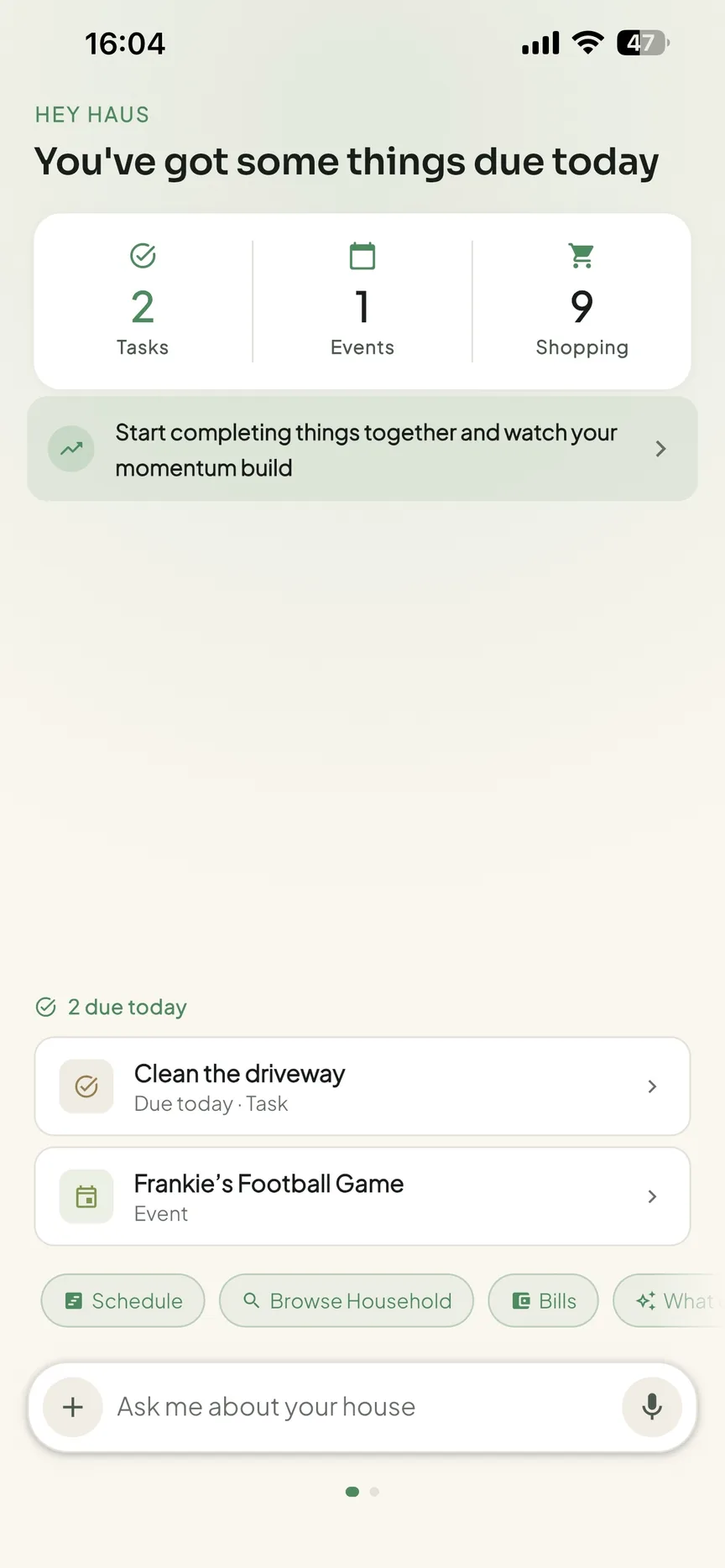
OneHaus is an AI-powered household management app built for households that need more than a shared calendar and a couple of lists. It brings tasks, a shared calendar, shopping lists with automatic aisle sorting, home inventory, and an AI assistant into one app.
Tasks in OneHaus support rotation, so chores can be distributed fairly across household members without manual reassignment each week. The AI assistant lets you add tasks, shopping items, and calendar events using natural language rather than filling in forms. Home inventory lets you log items around the house, including warranties, documents, and expiry dates.
OneHaus is available on iPhone, iPad, Apple Watch and Android, plus your favourite AI assistant. It's built with a privacy-first approach, keeping household data secure and not using it for advertising.
Feature Comparison
| Feature | TimeTree | OneHaus |
|---|---|---|
| Shared calendar | Yes, real-time sync | Shared household calendar |
| Multiple calendar groups | Yes, separate calendars per group | Single shared household calendar |
| Event comments and photos | Yes | Not available |
| External calendar sync | Google, Apple, and Outlook (one-way import) | Apple Calendar and Google Calendar, one-way to the device by default, two-way optional |
| Tasks and chores | Basic to-do list via Memo feature | Tasks with configurable rotation and scheduling |
| Chore rotation | Not available | Built-in rotation across household members |
| Shopping lists | Basic lists via Memo feature | Synced across devices, multiple lists |
| Home inventory | Not available | Track items, warranties, documents, and expiry dates |
| AI assistant | Not available | Natural language input and AI assistance |
| Cross-platform | iOS, Android, and web | iPhone, iPad, Apple Watch, Android |
| Pricing | Free with ads, Premium $44.99/year | Free to download, 30-day trial, one household subscription |
Key Differences
Calendar Depth vs Household Breadth
TimeTree is built around the calendar. It does calendar sharing very well, and the ability to manage multiple calendars for different groups is a genuine strength. If your main need is coordinating schedules across a family and wider social circles, TimeTree has invested significantly in making that work.
OneHaus takes a different approach. The shared calendar is one component alongside tasks, shopping lists, and home inventory. The trade-off is that OneHaus's calendar feature is less deep than TimeTree's, but the overall scope of what OneHaus covers is wider.
Multi-Group Calendars
TimeTree lets you create separate calendars for different groups and participate in calendars with people outside your household. This is useful if you coordinate with extended family, sports teams, or other groups where you need to share a view of upcoming events without mixing everything together.
OneHaus is focused on the household. There's a single shared calendar for the people who live together, rather than a system of multiple overlapping group calendars.
Household Management Beyond Scheduling
TimeTree has a basic to-do list and memo feature that can be used for simple lists, but it lacks dedicated task management with scheduling, assignment, or rotation. There is no home inventory. If you need to track chores, assign responsibilities, or maintain a shopping list alongside your calendar, you'll need separate apps to cover those areas.
OneHaus brings all of this together. Tasks with rotation, shopping lists, and home inventory sit alongside the calendar in the same app. For households trying to reduce the number of tools they manage, that consolidation matters.
AI and Natural Language Input
TimeTree doesn't include AI features. Adding events requires filling in the standard form: title, date, time, and any additional details.
OneHaus includes a conversational AI assistant. You can describe what you need in plain language and the app handles the routing. Saying "add pasta to the shopping list" or "schedule a boiler service for next month" creates the relevant item without navigating menus. For households where capturing things quickly is a priority, this changes the day-to-day experience of using the app.
Where TimeTree Works Better
TimeTree's calendar functionality is more developed than OneHaus's, and for households where scheduling is the primary need, that's meaningful.
The multiple group calendars feature is distinctive. Being able to maintain separate shared calendars for different groups, including extended family or friends, is something OneHaus doesn't offer. If you need to coordinate across groups rather than just within a household, TimeTree handles that more naturally.
Event comments and photo attachments give TimeTree a lightweight communication layer that OneHaus doesn't have. For families that attach notes or images to appointments, this is a useful built-in feature.
External calendar import means TimeTree can pull in events from your Google, Apple, and Outlook calendars and display them alongside shared events. This reduces the need to maintain two views. The import is one-way, though, so edits in TimeTree don't flow back to your personal calendar, and Outlook requires routing through Google Calendar first. OneHaus's shared calendar also syncs with Apple and Google, so the gap here is narrower than it first appears. It is worth being straight about OneHaus's own default, though: it writes household events out to the device calendar you pick and does not read that calendar back until you switch the connection to two-way, which also lets you choose whether imported events stay on that device or go to the whole household.
The size of TimeTree's user base speaks to its reliability and continued development. Over 70 million users means the app has been tested at scale and continues to be actively maintained.
Where OneHaus Works Better
OneHaus covers household management in ways that TimeTree doesn't attempt.
Task rotation solves a common household problem without any ongoing effort. Once chores are configured, they cycle through household members automatically. TimeTree has no task management at all, so households using it for chore tracking will need a separate app.
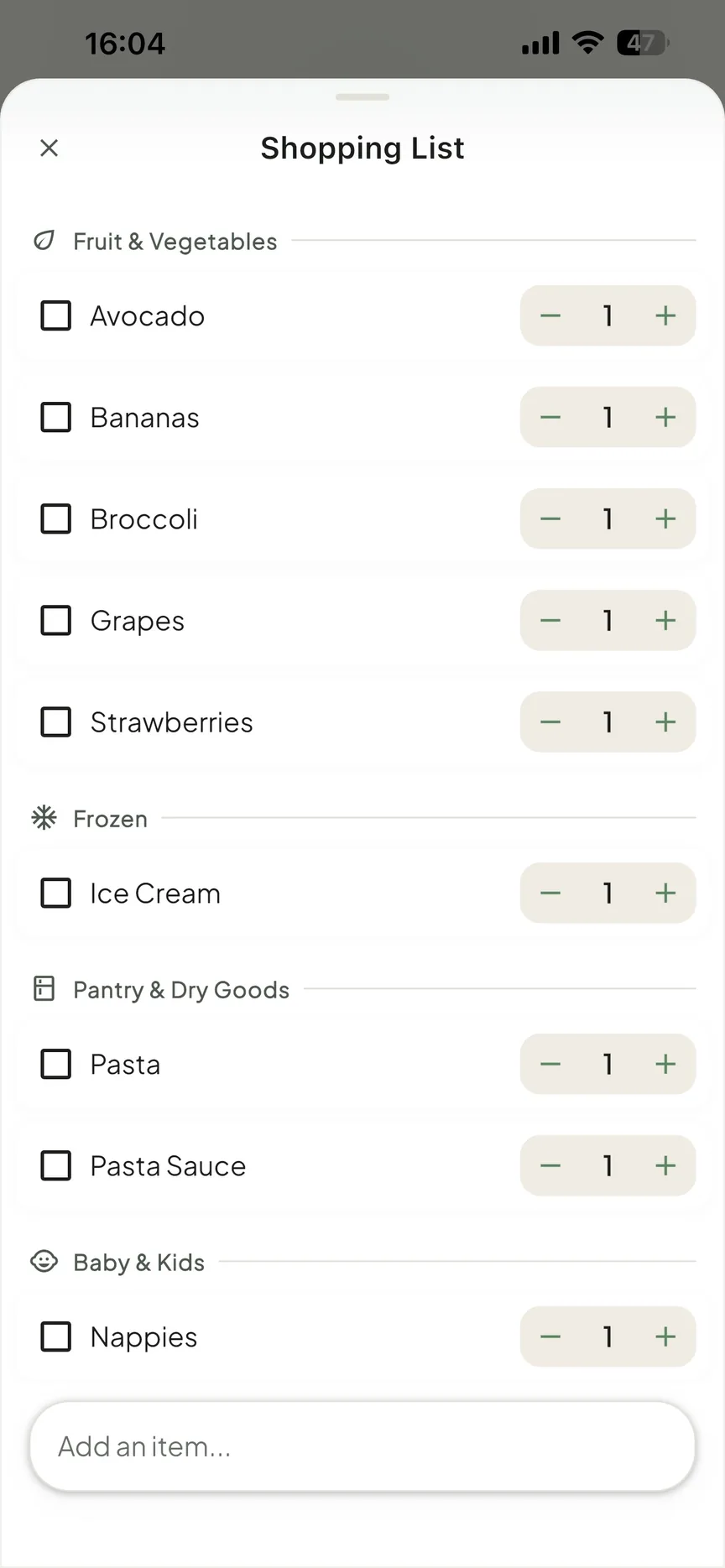
Shopping lists are built into OneHaus and sync across devices. TimeTree doesn't have a shopping list feature, so families using it for household coordination still need another tool for the weekly shop.
Home inventory fills a gap that most apps in this category don't address. Logging appliances, warranties, vehicle records, and household documents in one place, linked to the app your household already uses for everything else, removes the need for a separate filing system or scattered spreadsheets.
The AI assistant makes capturing things faster and lower-friction. For households where tasks and shopping items tend to be forgotten because stopping to open an app and fill in a form feels like too much, natural language input changes that calculation.
OneHaus also doesn't rely on advertising. The privacy approach is different from TimeTree's free ad-supported tier, which matters for households that prefer their data not to be used for targeting.
Who Should Choose TimeTree
TimeTree is a good fit for households where shared calendar management is the primary need, especially if you're coordinating across multiple groups rather than just within a single household. If you want to share a calendar with your immediate family, a separate one with your extended family, and another with a sports club, TimeTree supports all of that in one place.
It also suits those who already have personal calendars in Google or Apple that they want to sync, and anyone who values a large, established platform with a long track record.
Who Should Choose OneHaus
OneHaus suits households that want to manage more than just their calendar in a single app. If you're running separate tools for tasks, shopping lists, and calendar, and want to bring those together with AI assistance and home inventory on top, OneHaus is designed for that.
It's also the better choice for households where chore rotation matters, where the current set-up results in the same people doing the same things each week because nothing distributes tasks automatically. And for households that prefer an app without an ad-supported model, OneHaus's privacy-first approach is worth considering.
Try OneHaus Free
If you're looking for a TimeTree alternative that covers tasks, calendar, shopping, inventory, and AI in one app, give OneHaus a try. It's free to download on iPhone, iPad, Apple Watch and Android.
Download OneHaus to get started on iPhone, iPad, Apple Watch and Android.
Frequently Asked Questions
Is TimeTree free?
Yes. TimeTree has a free, ad-supported tier. TimeTree Premium is $4.49/month or $44.99/year and removes adverts while adding file attachments, a vertical calendar view, event prioritisation, and dedicated support (timetreeapp.com/premium, checked June 2026).
Does TimeTree sync with Google, Apple, and Outlook calendars?
Yes, but the sync is one-way: events flow from your device calendars into TimeTree, not the other way around. Outlook can't be imported directly, so you export from Outlook to Google Calendar first, then import into TimeTree (TimeTree Help, checked June 2026).
Does OneHaus sync with my existing calendar?
Yes. OneHaus writes household events to a device calendar you choose, which covers Apple Calendar and Google Calendar. That is one-way by default. Switch the connection to two-way and OneHaus also reads events from that calendar back in, either onto that device only or into the shared household calendar.
What does OneHaus do that TimeTree doesn't?
OneHaus adds tasks with automatic chore rotation, shared shopping lists, and home inventory for warranties, documents, and expiry dates, plus a natural-language AI assistant. TimeTree focuses on shared calendars with a lightweight memo, comment, and photo layer.