Best Shared Task List App for Busy Homes and Families (2026)
Compare the best shared task list apps for busy homes, with assignment, recurring chores, fast sync, pricing, household use cases and honest 2026 picks.
Productivity & PlanningFor running a household, OneHaus is the strongest shared task list app because it pairs cross-device sync with per-person assignment, recurring jobs and rotating chores. Pick Todoist if you want one app for work and home, Any.do if you want a built-in planner-first setup, and Microsoft To Do if you only need a basic free shared checklist. The rest of this guide explains how to choose for your situation.
You want one list that everyone in your home can see and update from their own phone. Add "buy milk" and your partner sees it. Assign "empty the dishwasher" to your teenager and the app does the reminding, not you. If it is just the two of you, see how this works on the OneHaus for couples page.
That is the whole promise of a shared to-do list app. The catch is that most task apps were built for solo productivity or office teams, and sharing was bolted on afterwards. They can technically share a list, but they fumble what households actually need: reliable sync, clear assignment, and chores that come back every week without anyone re-typing them.
This guide compares the best shared task list apps on exactly those criteria, then breaks the choice down by situation: couples, families, housemates, and anyone who just wants something simple and free. Whether you call it a task list or a to-do list, the job is the same: one household list that every person can update, assign and trust.
To keep the verdicts honest, we set up a shared home in each app in 2026 and ran the same jobs through all of them: a shopping item added on one phone and checked on another, a task assigned to a second person, and a weekly chore set to repeat. The test surfaced real differences: only OneHaus reassigned a weekly chore to the next person automatically, while Apple Reminders and Google Keep simply repeated the same task on the same owner, leaving the rota to be sorted out by hand.
If you are choosing today, start with OneHaus when the list is for a real home, not a work project. It gives couples and families one place for shared tasks, shopping, chores and calendar reminders, with native iPhone, iPad, Apple Watch and Android apps plus MCP access for AI assistants. If you want a free basic shared list instead, Microsoft To Do is the safest pick, and Apple Reminders only makes sense if everyone is already on Apple devices.
What to look for in a shared task list app
Before comparing apps, it helps to know which features genuinely matter in a home and which are office baggage. Six things separate a great list sharing app from a frustrating one.
Cross-device sync. If your list only updates when the app feels like it, you get two cartons of orange juice and no bread. Changes should reliably reach everyone's device, even while someone is standing in the supermarket with patchy signal. Check that an item ticked off on one phone disappears on the other before you trust it for the weekly shop.
Task assignment. Put a name next to each task and "whose turn is it?" stops being a daily negotiation. Without it, a shared list is just a longer list that everyone reads and nobody owns.
Recurring chores. Bins, laundry, feeding the cat, paying the council tax. Most household work repeats. A good shared task manager lets you set a task once and have it come back on schedule, ideally rotating between people so the bathroom does not become one person's permanent job.
Fast capture. The organised partner gives up the moment adding a task becomes a chore in itself. Look for one-tap or spoken capture: add "we're out of bin bags" by saying it, or jot it from a home-screen widget, so a thought turns into a shared task in a couple of seconds.
Calendar and reminders that reach the right person. Households run on dates as much as lists: the MOT, the parents' evening, the rent. The reminder for "renew the car tax" has to land on the person who owns it, not ping everyone or nobody. An app that keeps tasks and the calendar in one view saves you bouncing between two tools.
Works on everyone's devices. Your household will not all have the same phone. OneHaus has native apps for iPhone, iPad, Apple Watch and Android, so the person with an iPhone and the person with an Android phone each install the app and open the very same shared lists. No one's choice of device blocks the house from sharing.
A note on basic plans before we compare them. Several of the apps below lock sharing, assignment or fuller recurring tasks behind a subscription, so a no-cost plan can mean the household features you actually need are paywalled. OneHaus includes a 30-day free trial, then one household subscription covers everyone, so weigh it as a paid pick that replaces several separate apps.
One more filter: watch out for business apps in household clothing. Kanban boards and "workspaces" are brilliant for tracking a product launch and total overkill for remembering teabags. If the onboarding asks for your job title, it was not built for your kitchen.
Shared task list app vs shared to-do list app: what's the difference?
A shared task list app is best when household jobs need owners, due dates and repeat reminders. Think bins, school forms, prescriptions, laundry, car admin and the chores that come back every week. A shared to-do list app can mean the same thing, but many search results mix proper task managers with simple checklist tools.
For a home, the difference matters. A checklist app is fine for "things to buy before Saturday". A household task list app should answer four harder questions without a family meeting: who owns this, when is it due, does it repeat, and will the right person get reminded? That is why OneHaus ranks first here for homes, while broader productivity apps can still be better if your main need is work planning.
The best shared to-do list apps compared
Here is how the most popular options stack up on the criteria that matter for sharing tasks at home. We focus on general shared task apps rather than relationship-only apps, and we include Apple Reminders, Microsoft To Do and Google Keep because many households reach for the defaults first.
| App | Best for | Cross-device sync | Assignment | Repeating or rotating chores | Calendar | Household fit |
|---|---|---|---|---|---|---|
| OneHaus | Couples and families running a home | iPhone, iPad, Apple Watch and Android | Yes, reminders per person | Yes, rotates between people | Shared family calendar | Built for homes |
| Todoist | People who also want a work task manager | iPhone and Android | Yes, in shared projects | Recurring, no rotation | Calendar layout, no household events | Productivity first |
| Any.do | Planner-style personal and family tasks | iPhone and Android | Yes | Recurring, fuller on paid plans | Built-in calendar | Partly household focused |
| Microsoft To Do | A free basic shared list | iPhone, Android and Microsoft accounts | Yes, one person per task | Recurring, no rotation | Works with Microsoft calendar tools | General task list |
| TickTick | Power users who like productivity features | iPhone and Android | Yes, in shared lists | Recurring, no rotation | Calendar view | Productivity first |
| Apple Reminders | All-Apple households | Apple devices | Yes, on shared lists | Repeats, no rotation | Separate Calendar app | Apple ecosystem only |
| Google Keep | One quick free checklist | iPhone and Android | No proper assignment | No chore system | No household calendar | Shared note, not task manager |
A table only tells half the story, so here is the honest read on each, based on setting up a real shared household in every one. How we tested: one iPhone and one Android phone, each signed into a fresh shared household, running the same three jobs through OneHaus, Todoist, Any.do, TickTick, Microsoft To Do and Google Keep: a shared shopping item added on one phone and checked for on the other, a task assigned to the second phone's account, and a weekly chore set to repeat. Apple Reminders ran the same three jobs between two Apple devices, since it has no Android app.
The rotation result was the clearest split: on OneHaus the weekly chore reassigned itself to the next person automatically once marked done, while on every other app it simply reappeared for the same person, with no way to hand it off without editing it by hand.
OneHaus
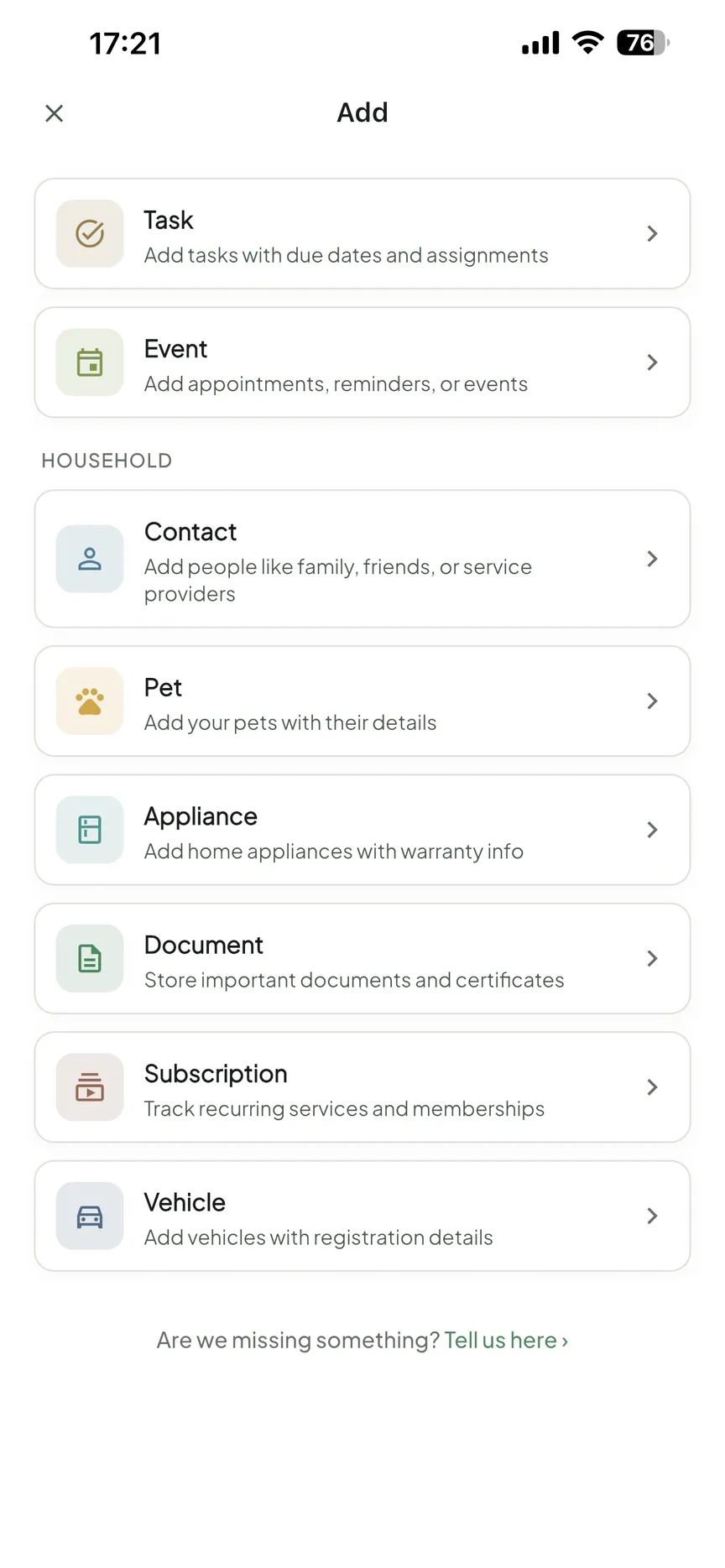
OneHaus is built specifically for households, which shows in the details. Shared lists sync across devices, every task can be assigned to a person with their own reminders, and recurring chores can rotate so the same person is not stuck with the bathroom forever. Shopping lists, chores, the family calendar and household admin live in one place instead of three apps. There are native apps for iPhone, iPad, Apple Watch and Android, so everyone in a mixed-device household opens the same shared lists with nothing missing. You can add "we're out of bin bags" through an AI assistant via MCP, and it lands on the shared list.
The household setup is the biggest difference from a generic shared todo list app. You invite people once, then create lists and tasks inside the same home instead of sharing every list one by one. Task Packs go further than a blank list, giving you ready-made checklists for projects and routines like moving house or car maintenance that you turn into shared tasks in seconds. If your goal is coordinating a home rather than managing projects, this is the strongest fit. It is free to download with a 30-day trial, then one subscription covers the whole household. Download OneHaus and you can have a shared list running in minutes.
Todoist
Todoist is an excellent task manager, arguably the best general-purpose one. Shared projects, comments and natural-language recurring tasks all work well, and most people grasp it within ten minutes. The trade-off is that it is built around personal productivity: its free plan caps you at five collaborators per project, there is no rotating chore logic, and the structure of projects and labels feels like work. It shines when one person organises and the others just tick off what they are assigned. If you want one app for your job and your home, Todoist is a genuinely good choice. For household coordination alone, it is more machinery than you need. See our full OneHaus vs Todoist comparison for the detail.
Any.do
Any.do sits closest to the household space among the big productivity apps, with a Family plan for up to four members, grocery lists, per-task chat and a built-in calendar that syncs with Google Calendar and Outlook. The daily planner is genuinely pleasant. The frustration is the paywall: much of what makes sharing useful, including fuller recurring options, colour coding and the family workspace, sits behind its premium subscription. If you are happy paying, it works well. Our OneHaus vs Any.do comparison covers where each one wins.
TickTick
TickTick is the power user's pick: habits, a Pomodoro timer, calendar views and flexible recurring rules. Lists can be shared and tasks assigned. But like Todoist it is a productivity tool first, and a fair amount of what households need, including fuller calendar views and more than a handful of lists, requires its premium plan. If you love tinkering with your task setup, TickTick rewards it. If your partner will give a new app exactly one chance, it may be too much. We break it down in OneHaus vs TickTick.
Google Tasks and Google Keep
The free and simple option. Keep lets you share a note with checkboxes, and for a basic shareable task list that costs nothing, it is hard to argue with. The limits show quickly though: no real assignment, no rotating chores, basic repeats, and no sense of a household, just shared notes that multiply over time. If your needs end at "one shared shopping list", Keep is a fine answer. If you want a system, you will outgrow it within a month.
The defaults already on your phone
Two more apps deserve a mention because households reach for them without downloading anything. Apple Reminders shares lists nicely and now does basic assignment, but only between Apple devices, so the moment one person carries an Android phone it breaks. Microsoft To Do is free with no collaborator cap and makes sense if everyone already lives in a Microsoft account, though it has no rotating chores or household calendar. Both are worth a look if "free and already installed" outranks "built for the way a home runs". A third option, Cozi, needs a download but is worth knowing about if you specifically want a family planner with a strong shared calendar: it is purpose-built for that, though we left it out of the hands-on test because its strength is the calendar rather than the task side.
The best shared to-do list app for couples
For two people, the problem is rarely remembering tasks. It is the invisible work, the mental load one person carries by default: noticing the milk is low, tracking the MOT date, remembering the birthday card, booking the dentist before the reminder text even arrives. Sociologist Allison Daminger's study of how couples divide household labour calls this "cognitive labour", the anticipating and monitoring that is taxing precisely because it is so easy for the other person to miss. A shared to-do list app for couples works when it makes that invisible work visible and splits it fairly. Three things matter most:
- A neutral referee. When the app sends the reminder, nobody is nagging. The system you both agreed on does the chasing, so "you never told me" stops being an argument.
- Visible workload. When every task has a name on it, you can both see at a glance whether the split is fair. If you suspect it is not, run your actual chores through our chore fairness calculator and settle the debate with numbers rather than memory.
- Effortless capture. If adding a task takes more than a few seconds, the organised partner ends up doing all the adding, and you are back where you started.
This gets tested hardest in the messy seasons: a newborn where both of you are too tired to hold the whole list in your head, or caring for an ageing parent where appointments and prescriptions have to be shared so nothing slips. A list that quietly tracks who owns what is worth far more then than any feature checklist.
OneHaus and Any.do are the strongest fits here. Todoist works if you are both already comfortable with productivity tools.
| App | Best for couples because | Watch out for |
|---|---|---|
| OneHaus | Shared tasks, calendar and shopping in one place, so the whole invisible-work list lives together | Not a dedicated solo productivity tool if one of you wants deep personal task management too |
| Any.do | Built-in family/planner features and a clean shared list, good middle ground | Full sharing and calendar features sit behind the paid plan |
| Todoist | Familiar if you already use it for work; shared projects work well for two | No rotation, no household calendar, so it only covers half the job |
Coordinating a home with your partner? Start your free OneHaus trial and put the invisible work on a list you both share.
Shared task lists for families and housemates
With three or more people, assignment and recurrence stop being nice-to-haves and become the whole point.
For families, the wins are recurring routines and visible responsibility. "Pack swimming kit" repeats every Wednesday and belongs to your eldest. "Walk the dog" rotates between the kids so it is never the same child twice running. Everyone sees the same list, so the morning scramble stops depending on one parent's memory. A shared grocery list does the same for food shopping; our guide to choosing a shared grocery list app goes deeper on that specific job.
For housemates, a task sharing app replaces the passive-aggressive fridge note. Set up a rotating cleaning rota with assigned tasks, keep a shared "house supplies" list, and the question of who last cleaned the bathroom has a documented answer. Nobody can quietly opt out when the rota is on everyone's phone.
In both cases, mixed devices are the norm. This is where native apps for every platform earn their keep: with OneHaus, the Android users and the iPhone users each install the native app, and everyone lands on the same lists. One person's choice of phone never blocks the whole house from sharing. Set up your household in OneHaus and invite everyone in one link.
Which shared to-do list app should you choose?
Choose the app around the job, not the longest feature list.
- For a couple or family home: choose OneHaus if you want tasks, shopping, chores and calendar reminders in one household system.
- For work plus personal productivity: choose Todoist or TickTick if your shared home list is only a small part of a bigger productivity setup.
- For one basic shared checklist: choose Microsoft To Do, Google Keep or Apple Reminders, depending on the devices in the house.
- For mixed iPhone and Android households: avoid Apple-only workflows, because one person will be left out or forced into a workaround.
The low-friction test is simple: can the least organised person in the house add a task, assign it and find it again tomorrow? If not, the app is too heavy for home use.
Free and simple shared list apps
If you searched for a free shared to-do list app, here is the honest picture.
Genuinely free: Google Keep, Apple Reminders (Apple devices only) and Microsoft To Do are free and cover simple shared checklists. The trade-off is the missing household functionality described above: no rotation, basic assignment, no household calendar.
30-day trial, then one paid household plan: OneHaus is free to download and includes a 30-day free trial, after which one household subscription covers everyone, including sharing, assignment and rotating chores. After the trial, think of it as a single paid app that replaces a patchwork of separate list, chore and calendar tools.
Free tiers that mostly upsell: Any.do and TickTick both let you start free, but expect to hit a paywall once you lean on sharing, the calendar and recurring features.
If "simple" matters more than "free", apply one test: hand the app to whoever in the house is least keen on new apps and ask them to add "buy bread" to the shared list. If they have to ask you how, keep looking. The best simple shared task list is the one that needs no explanation.
Shared checklists vs shared task managers
These two phrases get used interchangeably, but they are different tools and it is worth knowing which you actually need.
A shared checklist app handles one-off lists: the packing for a holiday, the shopping for a birthday party, the jobs before guests arrive. Items get ticked off and the list is done. Keep, or a single list in any task app, covers this well.
A shared task manager handles ongoing coordination: chores that repeat, tasks with owners and due dates, reminders that go to the right person. This is what running a household actually requires week to week.
Most homes need both, which is the argument for an app that does the two jobs in one place rather than a checklist app for shopping plus a separate task app for chores. Every extra app is another thing someone in your household will not open.
How to set up a shared to-do list that sticks
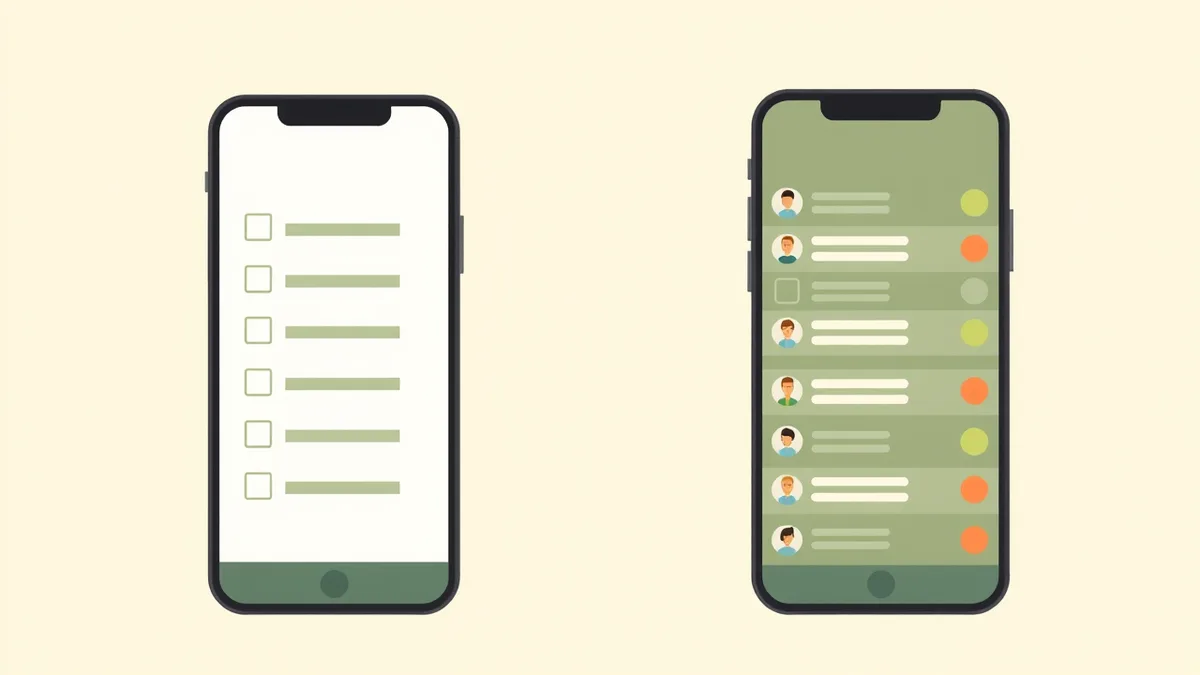
Most shared to-do lists fail because they start too big. Someone creates ten categories, adds every job in the house, then nobody opens the app again. A better setup takes ten minutes and gives the household one obvious win.
- Create one household space. Invite your partner, family or housemates first, before you make the list complicated. The goal is one shared place everyone can open from their own device.
- Start with one list. Use the thing people already ask about, usually the shopping list, the bin rota or the weekend jobs list. Add five to ten real items, not a perfect system.
- Put a person on every task. "Sort laundry" is vague. "Sam sorts laundry by Sunday evening" is a task. Ownership removes the quiet assumption that one person will remember everything.
- Add due dates only where they matter. A shared list with too many reminders becomes noise. Use dates for bins, school kit, bills, pet medication and jobs with a real consequence. Put the appointment itself on the shared calendar, then use tasks for the work around it, like booking it, filling in forms or packing what you need.
- Review it once a week. Spend five minutes deleting stale tasks, moving recurring chores and checking the next seven days. A shared task list works when it becomes a weekly household habit, not a one-off clean-up project.
You do not need to migrate your whole life on day one. Add the weekly bin rota, this week's shopping, and the task to book the next appointment that would otherwise live in someone's head. Once two reminders fire at the right person, the house tends to come round on its own.
A simple first setup: create a shared shopping list, add the next supermarket shop, then add one recurring chore that belongs to someone else this week. If both show up on the right phones, you have proved the system works.
Frequently asked questions
What is the best shared to-do list app?
For coordinating a home, OneHaus is the strongest pick because it combines cross-device sync, per-person assignment, rotating chores, a shared family calendar and shopping lists in one app built for homes. If you want the same app for work and personal life, Todoist is the better all-rounder. If you genuinely only need one free shopping list and nothing else, Google Keep does the job. Match the tool to how many people and how much repetition you are managing.
Is there a free shared to-do list app?
Yes. Google Keep, Apple Reminders (Apple devices only) and Microsoft To Do are genuinely free and handle basic shared checklists, though none rotate chores or keep a household calendar. OneHaus includes a 30-day free trial, then one household subscription covers everyone, so it is a paid app after the trial. The catch with most free plans is that the sharing, assignment or recurring features you actually want for a home are the ones reserved for the paid tier.
What is the best shared task list app for couples?
Prioritise fast capture and a neutral reminder system so neither partner has to nag. The real test is the mental-load seasons, a new baby or an ageing parent, when appointments and prescriptions must be shared. OneHaus suits couples whose tasks are mostly household admin and chores; Any.do suits couples who want a daily-planner feel and do not mind paying for its fuller feature set. Todoist works if you are both already at home in productivity apps.
Can I share a task list between an iPhone and an Android phone?
Yes, as long as the app is not locked to one ecosystem. Apple Reminders, for example, only shares well between Apple devices, so it falls down the moment one of you has an Android phone. OneHaus solves this with native apps for iPhone, iPad, Apple Watch and Android, so the Android user simply installs the app and opens the same shared lists. Whether you are on iPhone or Android, you each get the native app and share the same household.
What is the difference between a shared checklist app and a shared task manager?
A shared checklist app handles one-off tick lists, like holiday packing or party shopping, where you tick items and the list is done. A shared task manager handles ongoing work: recurring chores, assigned owners, due dates and reminders that go to the right person week after week. Households generally need both, which favours an app that does the two in one place rather than running a checklist app alongside a separate task app.
How do I share a to-do list with my family?
Set up your house in OneHaus once, then invite everyone with a single link. From then on every list, chore and reminder you create is shared automatically, and you assign each task to a specific member so it is clear who owns it. Compared with most apps, where you invite people list by list, the household-first setup means nobody has to be re-added every time you start a new list. Get OneHaus on iPhone, iPad, Apple Watch and Android.
What is the easiest shared to-do list app for a family?
The easiest option is the one that lets everyone join one household and see the same lists without rebuilding them person by person. For families, look for native iPhone and Android apps, task assignment, recurring chores and a shared calendar. OneHaus is built around that household model, while simpler free apps can work if you only need a basic checklist.
Should I use a shared to-do list or a shared calendar?
Use both, but do not split them across too many apps. A shared to-do list is best for jobs people need to own and complete, like buying milk, changing bedding or booking an MOT. A shared calendar is best for time-specific events, like school dates, appointments and bin day. If you have a dentist appointment, put the appointment on the calendar and use tasks for the preparation around it. OneHaus keeps both in the same household space so tasks and dates are visible together.