OneHaus vs Any.do (2026): The Best Family Alternative
Any.do is a polished task manager and daily planner with calendar integration, reminders, and shared lists. It works well for personal productivity and can be adapted for family use. OneHaus is purpose-built for households, with task rotation, shared features, and AI assistance at its core. Both handle tasks and lists, but they are designed around fundamentally different goals.
For this comparison we ran Any.do's "My Day" planning routine and its smart grocery list, then set up rotating chores and a warranty record in OneHaus to compare how each handles shared, recurring household work.
What is Any.do?
Any.do is a task manager and daily planner available on iOS, Android, Mac, Windows, web, and as a browser extension. It has built a reputation for clean design and a well-executed daily planning workflow.
Key features include:
- Task management with reminders and priorities
- Calendar view with task integration and event management
- "My Day" daily planning feature for reviewing and prioritising tasks each morning
- Smart grocery lists with automatic category grouping
- Shared lists and task assignment between users
- AI features on premium plans, including smart suggestions
- Available on iOS, Android, Mac, Windows, web, and as a browser extension
- Free "Personal" tier available; Premium at $4.99/month billed annually (about $60/year); Family Plan at $8.33/month billed annually (about $100/year) for up to 4 members (any.do/pricing, checked June 2026)
Any.do is particularly strong for individuals who want a structured daily planning routine. The "My Day" feature guides you through reviewing upcoming tasks and scheduling them into your day, which suits people who prefer a deliberate start to their morning.
What is OneHaus?
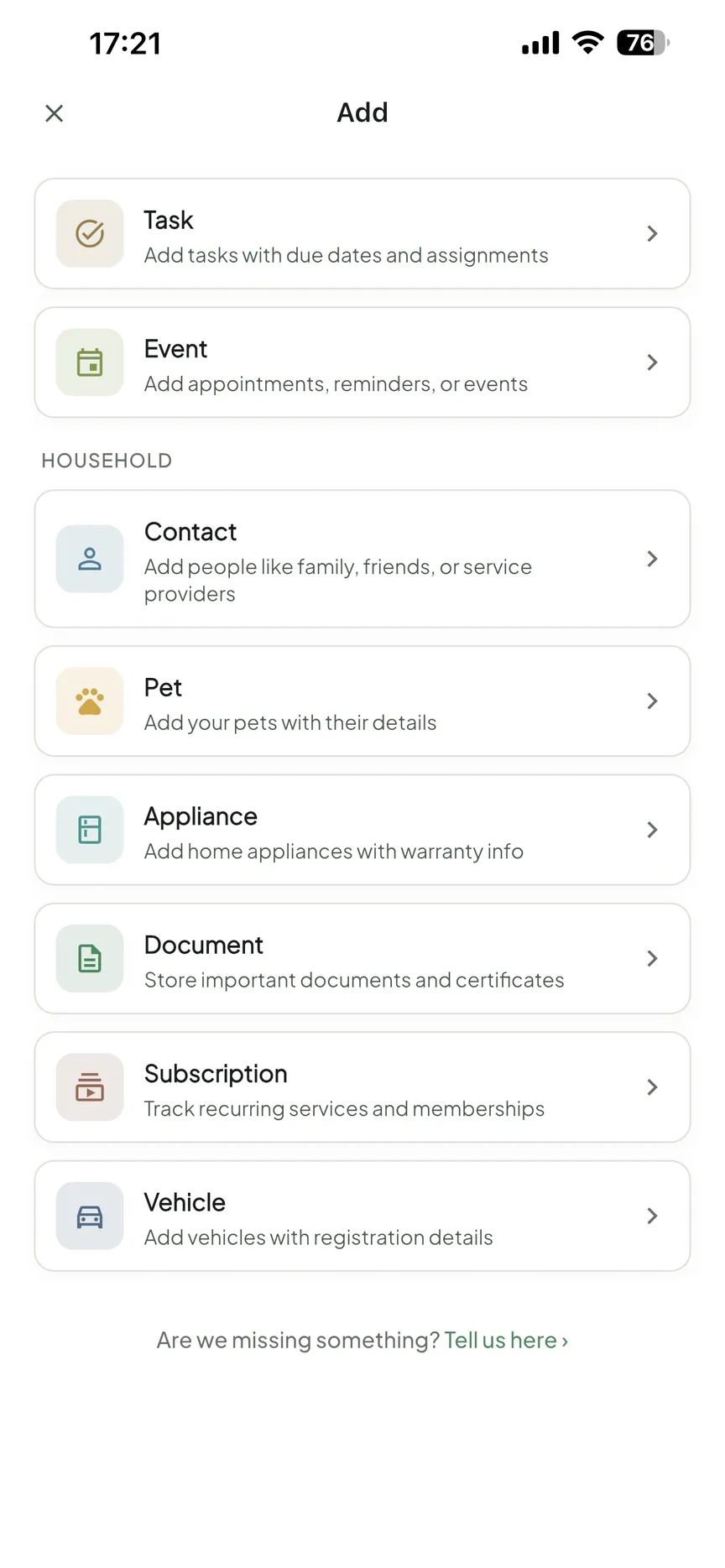
OneHaus is an AI-powered household management app built specifically for families and shared households. Rather than adapting a personal productivity tool to fit household needs, OneHaus is designed from the ground up around the idea that a home is a shared system.
Key features include:
- Tasks and chores with rotation and shared assignment
- Shared household calendar synced with device calendars
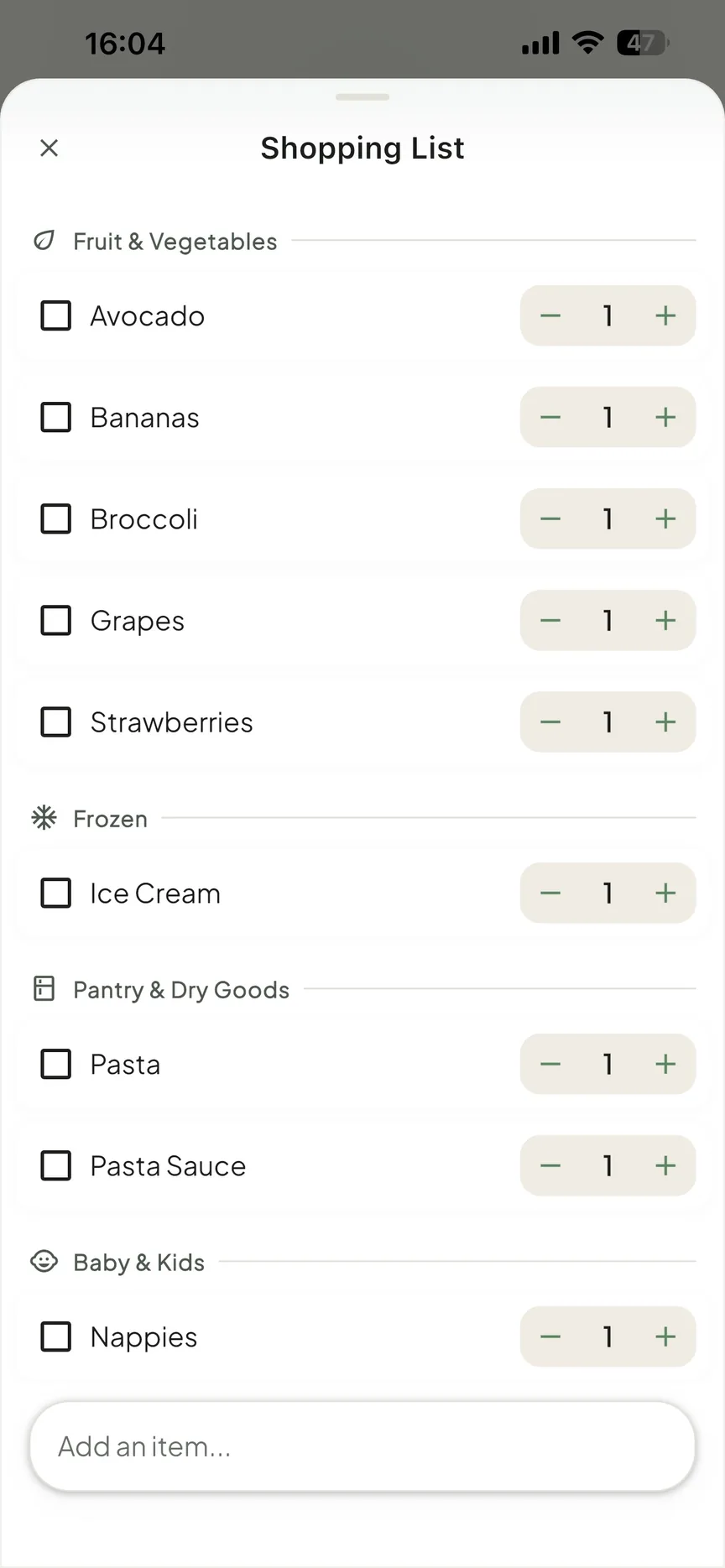
- Collaborative shopping lists with aisle sorting that sync across devices
- Home inventory tracking for appliances, documents, warranties, and subscriptions
- AI assistant for natural language household management
- Available on iPhone, iPad, Apple Watch and Android, plus your favourite AI assistant
- Privacy-first design with no third-party advertising
OneHaus brings these areas into a single app so that one person is not left holding the mental load for the entire household.
Feature Comparison
| Feature | Any.do | OneHaus |
|---|---|---|
| Tasks and to-dos | Yes, full-featured | Yes, full-featured |
| Calendar integration | Yes, native calendar view | Yes, synced with device calendars |
| Daily planner | Yes ("My Day") | No |
| Smart grocery lists | Yes, auto-categorised | Yes, with aisle sorting and synced across devices |
| Chore rotation | No | Yes |
| Home inventory | No | Yes |
| AI assistant | Yes, on premium plans | Yes, included |
| Shared household features | Shared lists and task assignment | Built-in household structure |
| iOS and Android | Yes | iPhone, iPad, Apple Watch, Android |
| Desktop apps | Yes (Mac, Windows) | No |
| Web app | Yes | No |
| Browser extension | Yes | Coming soon |
| Pricing | Free tier; Premium ~$60/year; Family ~$100/year (up to 4) | Free to download, 30-day trial, one household subscription |
Key Differences
Personal planner vs household platform
Any.do is built around the individual. Its core loop is personal: capture tasks, plan your day, get reminders, stay on top of your schedule. Shared lists and task assignment are available, but they are features layered onto a personal productivity foundation. The household has no real presence in the app's structure.
OneHaus is built around the household from the start. Every feature assumes that multiple people share a home and share responsibility for running it. There is no need to adapt the app to fit a household context because that context is already the default.
Daily planning
Any.do's "My Day" feature is a genuine differentiator. Each day, the app prompts you to review what's coming up and plan your time. Tasks can be dragged into specific time slots, giving you a lightweight daily schedule. For people who benefit from this kind of intentional morning review, it is a meaningful feature.
OneHaus does not have a daily planner. The focus is on keeping shared household systems running rather than structuring individual daily routines.
Chore rotation
Any.do allows task assignment within shared lists, but it has no concept of rotation. If you want the washing-up to alternate between household members each week, you would need to manually reassign it every time. That friction tends to mean one person ends up doing it by default.
OneHaus includes task rotation as a built-in feature. Recurring chores cycle between household members automatically, so the distribution stays fair without anyone having to manage it manually.
Home inventory
Any.do focuses on tasks and calendar. There is no place within the app to record information about your home, such as appliance warranties, vehicle service history, insurance documents, or recurring subscriptions.
OneHaus includes a home inventory feature that lets you log household items with relevant details, including warranty expiry dates, purchase receipts, and supporting documents. When a warranty is about to lapse or a service is due, OneHaus surfaces that information rather than leaving it buried in a folder or forgotten entirely.
Grocery list approach
Both apps include grocery list functionality, but with different priorities. Any.do's smart grocery lists automatically categorise items as you add them, grouping produce, dairy, and other categories together. This can reduce time spent backtracking through a supermarket.
OneHaus shopping lists combine collaboration with automatic aisle sorting. Items are categorised automatically and the list syncs across all household members. If your partner adds an item from work, it shows up on your list at the shop, sorted into the right aisle.
Where Any.do Works Better
Any.do has meaningful advantages in several areas:
- Daily planner. The "My Day" feature gives Any.do a structured planning workflow that OneHaus does not have. For people who want to deliberately schedule tasks into their day, it is a significant advantage.
- Platform coverage. Any.do is available on iOS, Android, Mac, Windows, web, and as a browser extension. OneHaus is available on iPhone, iPad, Apple Watch and Android. If your household relies on native desktop apps or a browser extension, Any.do is the more practical choice.
- Personal productivity. For individuals managing work tasks, personal projects, and daily schedules, Any.do is a more capable tool. Its design suits individual workflow management rather than shared household systems.
- Family plan pricing. Any.do's Family Plan covers up to 4 members at a fixed price (about $100/year, any.do/pricing, checked June 2026), which can be useful for larger households comparing per-feature value.
- Maturity and user base. Any.do is a well-established app with a large user base, extensive reviews, and a track record of reliability. For households that prefer tried-and-tested software, that matters.
Where OneHaus Works Better
OneHaus has meaningful advantages for shared households:
- Chore rotation. Recurring tasks cycle between household members automatically, removing the need for weekly manual reassignment.
- Household-first design. Every feature is built around shared living rather than adapted from individual productivity. There is no need to work around a personal-use model.
- Home inventory. A complete record of appliances, warranties, documents, and subscriptions, all in one place and integrated with the rest of your household management.
- Household AI assistant. The AI in OneHaus is focused on household tasks, natural language input for adding items, and managing shared household information. It is not a general-purpose assistant bolted on to a personal tool.
- Single app for household management. Tasks, calendar, shopping, and inventory in one experience, rather than multiple tools stitched together or a personal app adapted for household use.
Who Should Choose Any.do
Any.do suits you if:
- You want a daily planner with a structured morning review routine
- You primarily need personal or professional task management alongside shared lists
- You need native desktop apps or a browser extension in addition to mobile
- You are a solo user, or a couple who mainly need shared lists and task assignment rather than full household management
- You want a mature, widely used app with a large community and established track record
Who Should Choose OneHaus
OneHaus suits you if:
- You share a home with a partner, family, or housemates and want the app to reflect that
- You want chore rotation built in, with fair distribution handled automatically
- You need home inventory tracking for warranties, documents, and appliances
- You want a household AI assistant that understands shared household management
- You are looking for one app to cover tasks, shopping, calendar, and inventory rather than stitching multiple tools together
- Reducing household mental load across all members is the primary goal
Try OneHaus Free
OneHaus is free to download on iPhone, iPad, Apple Watch and Android. Set up your household, invite the people you live with, and see how it compares to your current setup.
Download OneHaus to get started on iPhone, iPad, Apple Watch and Android.
Frequently Asked Questions
Is Any.do free?
Yes, Any.do has a free Personal tier. Premium is $4.99/month billed annually (about $60/year), and the Family Plan is $8.33/month billed annually (about $100/year) for up to 4 members (any.do/pricing, checked June 2026).
Is Any.do good for families and households?
Any.do offers shared lists and task assignment and a Family Plan for up to 4 members, but it is built around individual daily planning. It has no automatic chore rotation and no home inventory. OneHaus is built around the household, with chore rotation and inventory included.
What does OneHaus have that Any.do doesn't?
OneHaus adds automatic chore rotation, home inventory for warranties, documents, and subscriptions, and a household AI assistant. Any.do leads on its "My Day" daily planner and native desktop apps.
Is OneHaus free?
OneHaus is free to download with a 30-day trial, then a single household subscription covering everyone who lives with you. It has no permanent free tier.