OneHaus vs TickTick (2026) | Best TickTick Alternative
TickTick is one of the most fully featured personal productivity apps available, combining task management, a built-in calendar, habit tracking, and a Pomodoro timer in a single experience. It is an excellent choice for individuals who want one app to manage their personal and professional lives. OneHaus takes a different approach, designed specifically for shared households, with chore rotation, shopping lists, home inventory, and an AI assistant built around the reality of running a home together. This comparison looks at where each app excels, and which one is likely to suit your situation.
For this comparison we set up recurring chores and a habit streak in TickTick, then rebuilt the same chores in OneHaus to compare automatic rotation, and logged an appliance warranty to test its home inventory.
What is TickTick?
TickTick is an all-in-one personal productivity app with a broad feature set that goes well beyond task management. Its depth of features, spanning tasks, calendar, habits, and focus timing, makes it genuinely competitive across several categories at once.
Key features include:
- Task and project management with priorities, tags, and filters
- Natural language input for creating tasks quickly
- Built-in calendar view with task integration
- Habit tracker with streaks and completion statistics
- Pomodoro timer for focused work sessions
- Shared lists and task assignment for collaboration
- Available on iOS, Android, Windows, Mac, Linux, web, and browser extensions
- Free tier available; Premium at $35.99 per year, about $3 a month on the annual plan (TickTick pricing, checked June 2026)
TickTick is particularly strong for people who want a single app to cover tasks, time management, and personal habits without switching between tools.
What is OneHaus?
OneHaus is an AI-powered household management app built specifically for families and shared households. Rather than adapting a personal productivity tool to fit household needs, OneHaus is designed from the ground up around the idea that a home is a shared system.
Key features include:
- Tasks and chores with rotation and shared assignment
- Shared household calendar synced with device calendars
- Collaborative shopping lists with aisle sorting that sync across devices
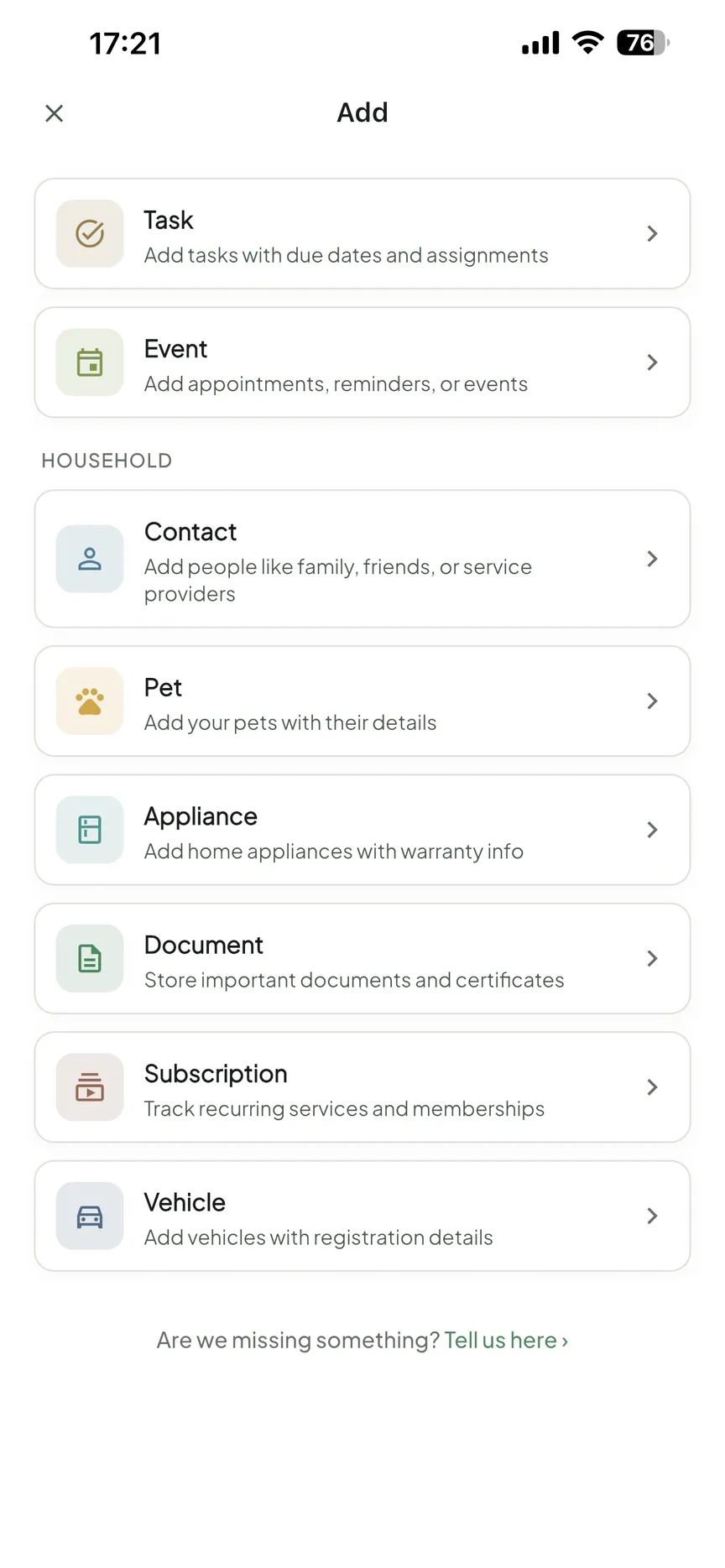
- Home inventory tracking for appliances, documents, warranties, and subscriptions
- AI assistant for natural language household management
- Available on iPhone, iPad, Apple Watch and Android, plus your favourite AI assistant
- Privacy-first design with no third-party advertising
OneHaus brings these areas into a single app so that one person is not left holding the mental load for the entire household.
Feature Comparison
| Feature | TickTick | OneHaus |
|---|---|---|
| Tasks and to-dos | Yes, full-featured | Yes, full-featured |
| Natural language input | Yes, mature | Yes, via AI assistant |
| Built-in calendar | Yes, native | Yes, synced with device calendars |
| Habit tracking | Yes, with streaks | No |
| Pomodoro timer | Yes, built-in | No |
| Chore rotation | No | Yes |
| Shopping lists | No dedicated feature | Yes, collaborative and synced across devices |
| Home inventory | No | Yes |
| AI assistant | NLP for task creation only | Yes, included |
| iOS and Android | Yes | iPhone, iPad, Apple Watch, Android |
| Desktop and web apps | Yes (Windows, Mac, Linux, web) | No |
| Free tier | Yes | No free tier; free to download, 30-day trial |
| Paid pricing | $35.99/year | One household subscription after trial |
Key Differences
Personal productivity versus household management
TickTick is built for individual productivity. Its habit tracker, Pomodoro timer, and calendar views are designed to help one person manage their time, build routines, and stay focused. These are genuinely useful features for personal and professional life, and TickTick implements them well.
OneHaus is built around a different problem: the shared work of running a home. Features like chore rotation, collaborative shopping lists that sync across devices, and home inventory exist specifically because households involve multiple people with shared responsibilities. TickTick can be used by households, but it has no concept of a household as a unit. There is no chore rotation, no inventory system, and no shopping list designed for in-store use.
Habit tracking and Pomodoro
TickTick includes a habit tracker that lets you set daily or weekly habits, view streaks, and track completion over time. This is one of its standout features, and it is well integrated with the rest of the app. The built-in Pomodoro timer adds a focus management layer that personal productivity users often find valuable.
OneHaus does not include habit tracking or a Pomodoro timer. If these features are central to how you work and manage your day, TickTick has a clear advantage in this area.
Chore rotation and shared household tasks
TickTick allows shared lists and task assignment, which means you can send a task to a family member. What it does not have is any automatic rotation of recurring tasks. If you want chores to cycle fairly between household members, you need to reassign them manually each time or set up workarounds with recurring tasks and manual edits.
OneHaus handles this natively. Chore rotation is built in so that tasks cycle automatically between the people in your household. There is no weekly admin involved in keeping things balanced.
Shopping lists
TickTick does not have a dedicated shopping list feature. Some people create a list project and treat tasks as items, but this lacks the shared, practical usability of a purpose-built shopping list. Checking items off during a supermarket run in a task manager is a different experience from using a list designed for that workflow.
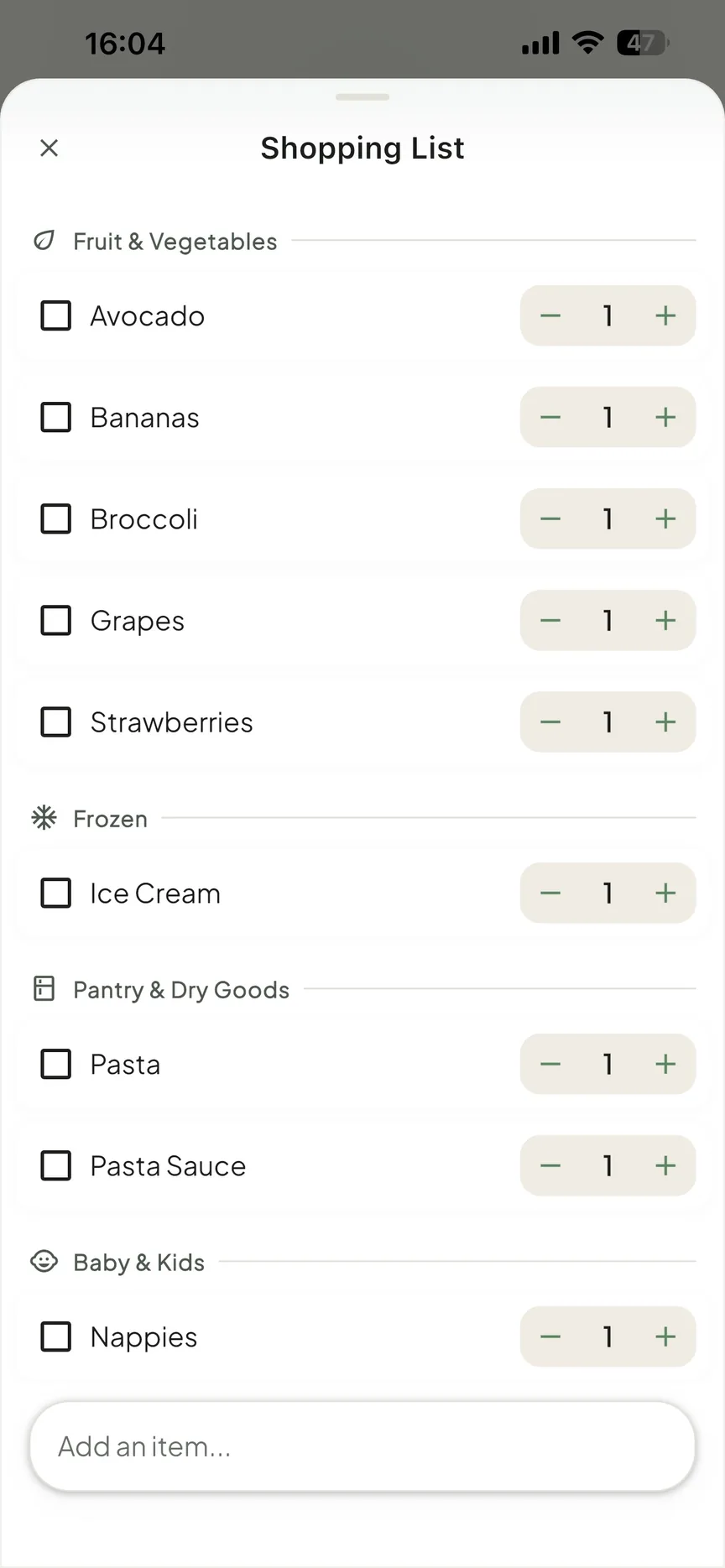
OneHaus includes shared shopping lists that sync across all household members. If someone adds an item from work, it shows up on your list at the shop. Items are automatically sorted by aisle, reducing backtracking through stores. Categories can be overridden manually.
Home inventory
TickTick has no home inventory functionality. Tracking appliances, warranties, vehicles, important documents, and recurring subscriptions is outside its scope entirely.
OneHaus treats home inventory as a core feature. You can log items with purchase dates and warranty expiry, attach documents, and keep a record of service history. When a warranty is approaching expiry or a service interval is due, OneHaus surfaces that information rather than leaving it buried in a spreadsheet or forgotten.
Where TickTick Works Better
TickTick has meaningful advantages in several areas:
- Platform coverage. TickTick has native apps for Windows, Mac, and Linux, as well as browser extensions. OneHaus is available on iPhone, iPad, Apple Watch and Android, but has no native desktop apps.
- Habit tracking. A dedicated habit tracker with streaks and statistics is built into TickTick. OneHaus does not offer this.
- Pomodoro timer. The built-in Pomodoro timer makes TickTick a useful tool for focused work sessions. OneHaus has no equivalent.
- Personal productivity features. For managing personal tasks, work projects, and individual routines, TickTick's breadth of features gives it a clear edge.
- Natural language maturity. TickTick's natural language input for task creation has been refined over several years and handles a wide range of patterns reliably.
- Pricing. At $35.99 per year, TickTick Premium is competitively priced given the range of features included (TickTick pricing, checked June 2026).
If individual productivity, habit building, or focused work sessions are your main use case, TickTick is the stronger choice.
Where OneHaus Works Better
OneHaus has meaningful advantages for households:
- Chore rotation. Fair, automatic rotation of recurring tasks without any manual reassignment.
- Household-first design. Every feature is built around shared living rather than adapted from a personal productivity model.
- Shopping lists. Dedicated collaborative lists that sync across devices and work the way people actually shop.
- Home inventory. A complete record of appliances, warranties, documents, and subscriptions in one place.
- AI household assistant. An AI assistant oriented around household tasks and queries, not general personal productivity.
- Single app for household management. Tasks, calendar, shopping, and inventory in one experience rather than several tools stitched together.
If managing a home with other people is the primary goal, OneHaus covers ground that TickTick does not.
Who Should Choose TickTick
TickTick suits you if:
- You primarily need personal or professional task management
- Habit tracking and streaks are part of your daily routine
- You rely on Pomodoro or time-blocking techniques for focus
- You use native desktop apps or browser extensions
- You want a broad feature set at a competitive price
- You are a solo user who wants one app for tasks, calendar, and habits
Who Should Choose OneHaus
OneHaus suits you if:
- You share a home with a partner, family, or housemates
- You want chore rotation handled automatically rather than reassigned manually
- You need shared shopping lists that sync across devices
- You want to track home inventory, warranties, and documents
- Reducing household mental load is the primary goal
- You want one app designed around the shared work of running a home
Try OneHaus Free
OneHaus is free to download on iPhone, iPad, Apple Watch and Android. Set up your household, invite the people you live with, and see how it compares to your current setup.
Download OneHaus to get started on iPhone, iPad, Apple Watch and Android.
Frequently Asked Questions
Is TickTick free?
Yes, TickTick has a free tier. Premium is $35.99/year, about $3 a month on the annual plan, and lifts the free-tier caps on lists, tasks, and reminders (TickTick pricing, checked June 2026).
Does TickTick sync with Google Calendar?
Yes. TickTick has a built-in calendar and supports two-way Google Calendar sync, so tasks and calendar events sit in one view. OneHaus takes a similar approach for households, syncing its shared calendar with your device calendars.
Does TickTick have chore rotation for households?
No. TickTick supports shared lists and task assignment, but it has no automatic rotation of recurring tasks, so keeping chores balanced means reassigning them manually. OneHaus rotates chores automatically between household members.
Does TickTick have shopping lists or home inventory?
No dedicated shopping list and no home inventory. OneHaus includes aisle-sorted shopping that syncs across members and inventory for warranties, documents, and subscriptions.
What is the best alternative to TickTick?
It depends on what you need. For personal productivity, habits and focus timing, few apps match TickTick at its price. If your real goal is running a shared home, OneHaus is the strongest alternative, adding chore rotation, collaborative shopping lists and home inventory that TickTick does not offer.
Is OneHaus free?
OneHaus is free to download with a 30-day trial, then a single household subscription covering everyone who lives with you. There is no permanent free tier.