Best Meal Planning Apps 2026: 7 Compared for Families
Compare the best meal planning apps by recipe import, shared shopping lists, family sharing and pricing. See when OneHaus, Mealime, Plan to Eat and Cozi fit.
Shopping & GroceriesOneHaus is the best meal planning app when you want the plan combined with the rest of your household management, because the weekly plan, saved recipes and shared shopping list sit beside the family calendar, chores and home inventory, visible to every member of the home. If you want a dedicated meal planning app on its own, Mealime is the strongest pick for quick guided dinners, Plan to Eat suits cooks with a large personal recipe collection, and Paprika is the best one-time purchase. AnyList adds a meal calendar to an excellent shared list, Samsung Food is the free recipe saver, and Cozi fits families where the calendar leads and meals follow.
Most meal planning app roundups review these tools as if one person plans, shops and cooks alone. Real households do not work like that. One person plans on Sunday, someone else does the Wednesday shop, and whoever gets home first cooks. That changes what matters in an app: the plan has to be visible to everyone, the shopping list has to update on every phone, and adding a recipe's ingredients has to take one tap, not a copy-paste session. Several popular planners are built around a single account. Mealime's own support guide suggests couples sign in to the same account on both phones to plan together, and Paprika's sync is designed for one person's devices rather than a household. This comparison judges each app on the shared-household job as well as the cooking one.
Quick verdict
| If your main problem is... | Start with... | Why |
|---|---|---|
| Meal planning should live with the rest of the household admin | OneHaus | Shared plan, recipes and shopping list beside the calendar and chores |
| You cook for one or two and want fast healthy dinners | Mealime | Guided recipes around 30 minutes with an auto grocery list |
| You already have a folder of family recipes | Plan to Eat | Recipe clipper plus a drag-style planning calendar |
| You hate subscriptions | Paprika | One-time purchase per platform |
| The shopping list is the centre and meals are secondary | AnyList | Meal calendar included in a cheap yearly plan |
| You want free recipe saving from any site | Samsung Food | Free saving, communities and a planner |
| The family calendar comes first | Cozi | Meals and recipes beside a strong shared calendar |
What should a meal planning app do?
A good meal planning app should get the week decided in one sitting and turn that decision into a shopping list without retyping anything. In practice that means four things: a weekly view you can fill from recipes you actually cook, automatic ingredient collection with duplicates merged, a list sorted the way you walk the shop, and a plan the rest of the household can see without borrowing your phone.
That last one is the quiet dealbreaker. If the plan lives on one person's account, that person stays the household's dinner dispatcher. They get the "what's for tea?" texts, they forward the list, and the app has saved them typing but not thinking. For solo cooks this does not matter. For families, couples and shared houses it is the difference between a planning app and a planning chore.
If you want the planning routine itself rather than the software, our weekly meal planner guide covers a 15-minute system, and the free weekly meal planner tool gives you a printable starting point.
The best meal planning apps in 2026
Pricing below was checked in July 2026 from each app's own site or official store listing. Prices shown are the US store figures those pages display; your local store price will differ slightly, and Paprika notes its pricing varies by country and VAT.
1. OneHaus: best meal planning inside a household app
OneHaus is a household management app, and meal planning is one of its connected parts. The week is laid out Monday to Sunday with slots for breakfast, lunch, dinner and snacks. You fill slots from the recipes your household already keeps in the app, or add custom meals like "leftovers night", and every member sees the same plan on their own phone with their own account. No shared logins, no screenshots of the plan in the group chat.
The step that saves the most time is the plan-to-list handoff. OneHaus collects the ingredients from every recipe you have scheduled, merges the same ingredient across recipes with quantities added together, lets you untick what is already in the cupboard, and drops the rest into the shared shopping list sorted by shop section. The meal planning guide walks through the whole flow.
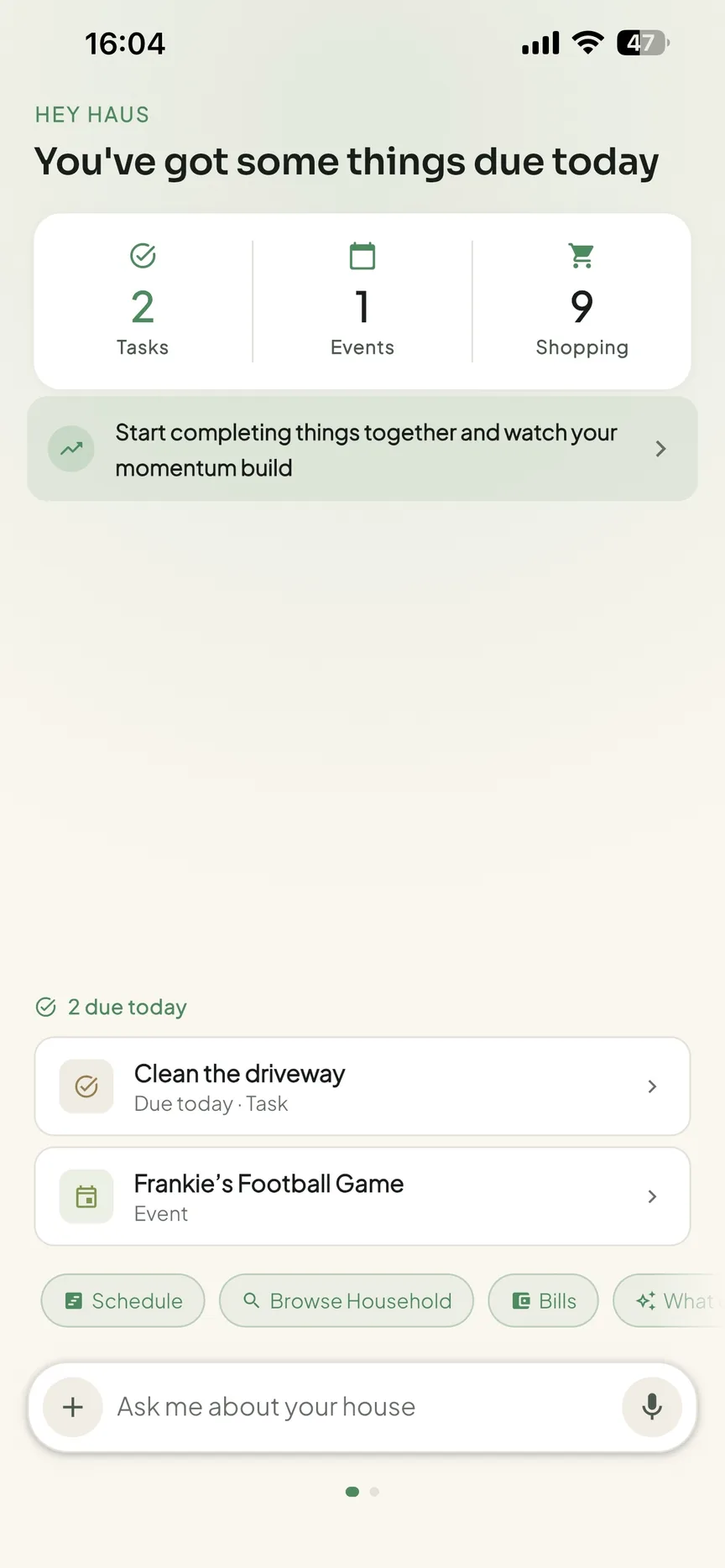
Because it is a household app rather than a cooking app, the plan sits beside the family calendar, chores and home inventory. A busy Wednesday on the calendar argues for the 10-minute recipe, and the app puts both facts on the same screen. You can also plan by talking to a connected AI assistant, with requests like "plan spaghetti bolognese for Friday dinner" landing on the same plan the household sees.
The trade-off is focus. OneHaus does not try to be a cooking app: there is no guided recipe catalogue or nutrition filtering, and the recipes on the plan are the ones your household saves. If you want an app that decides dinner for you, Mealime does that job better. OneHaus wins when the meal plan is one part of running the home, not the whole point.
OneHaus is available on iPhone, iPad, Apple Watch and Android, plus AI assistants via MCP. It includes a 30-day free trial, then one paid subscription covers the whole household.
Best for: households that want meal planning combined with the calendar, chores, shopping and the rest of home life.
2. Mealime: best guided quick dinners
Mealime plans a week of meals in minutes around its own recipe catalogue, with over 200 personalisation options for allergies, dislikes and diets, and most recipes designed to take about 30 minutes. It then builds a grocery list from the plan, sorted into categories. For one or two people who want healthy dinners decided for them, it is excellent.
The household story is weaker. There is no in-app sharing of lists or plans between accounts; Mealime's support guide suggests couples plan together by "signing in to the same account on each of their respective devices". The free version covers core planning, and Meal Planner Pro is listed at $2.99 a month on the App Store. iPhone and Android.
Best for: solo cooks and couples happy to share a login, who want fast healthy dinners chosen for them.
3. Plan to Eat: best for your own recipes
Plan to Eat does not tell you what to cook. You bring your own recipes, clipped from the web with its recipe clipper or typed in from the family cookbook, then drag them onto a planning calendar that handles servings, rescheduling and leftovers. The shopping list generates automatically from whatever is on the plan. It is the strongest fit for confident cooks with an established collection.
Pricing is $5.95 a month or $49 a year with a 14-day free trial and no credit card required. One account covers your family across devices, so like Mealime, sharing means one login for everyone, not per-person accounts. Works on the web, iPhone and Android.
Best for: households with a real recipe collection and one main planner who wants full control.
4. Paprika: best one-time purchase
Paprika Recipe Manager is the pick if subscriptions annoy you. It is a one-time purchase per platform, $4.99 on iOS and $29.99 on Mac or Windows, with the Android version sold separately on Google Play and a free cloud sync account included. The built-in browser saves recipes from almost any site, the meal planner covers weeks ahead, and its grocery lists auto-sort by aisle and combine duplicate ingredients.
The trade-off is that sync is built for one person's devices. There is no household account, so a partner cannot check the plan from their own login. Available on iOS, Android, Mac and Windows.
Best for: a single household cook who wants a powerful recipe manager and planner without a subscription.
5. AnyList: best cheap meal calendar on a shared list
AnyList is first a shared shopping list, and one of the best. The meal planning calendar arrives with AnyList Complete, which also adds recipe import from popular sites and recipe scaling, at $9.99 a year for one person or $14.99 a year for a household. Plan meals on the calendar, then add the ingredients for the coming week's recipes to the list everyone already shares.
As a planner it is lighter than the dedicated tools, with no guided recipes and less structure around servings and leftovers. But if your household already runs on a shared list, it is the cheapest way to add meal planning to it. iPhone, iPad, Android, plus web apps on Mac and PC.
Best for: list-first households that want light meal planning for under $15 a year.
6. Samsung Food: best free recipe saving
Samsung Food, formerly Whisk, saves recipes from any website, offers a catalogue of over 240,000 public recipes, and turns a weekly plan into a smart shopping list you can share with family. The core app is free, with a Food+ tier at $6.99 a month or $59.99 a year that adds AI-personalised weekly plans and a step-by-step cooking mode.
It is the strongest free option for recipe discovery and saving. The planning layer is decent, but not deep, and the app pushes its social and community features harder than a household planner needs. iPhone and Android.
Best for: households that want free recipe saving and light shared planning, and do not mind the extras.
7. Cozi: best calendar-first meals
Cozi is a family organiser whose free tier includes the shared calendar, lists and a recipe box, supported by ads. Cozi Gold at $39 a year removes the ads and adds calendar extras, and a newer Cozi Max tier at $79 a year adds AI recipe and meal-plan features. One subscription covers every family member.
Meals in Cozi are a supporting feature rather than the main event. There is no deep recipe import or ingredient merging to rival the dedicated planners. Choose it when the family calendar is the centre of your system and dinner just needs to be written down where everyone looks. iPhone, Android and the web.
Best for: calendar-led families that want meals noted beside everything else.
Meal planning app comparison table
| App | Best for | Recipe source | Auto shopping list | Household sharing | Platforms | Pricing |
|---|---|---|---|---|---|---|
| OneHaus | Meal planning inside one household app | Your saved household recipes | Yes, merged and sorted by section | Yes, per-member accounts | iPhone, iPad, Apple Watch, Android, AI assistants via MCP | 30-day trial, then one household subscription |
| Mealime | Quick guided dinners | Its own recipe catalogue | Yes | Shared login only | iPhone, Android | Free, Pro $2.99/month |
| Plan to Eat | Your own recipe collection | Web clipper and manual entry | Yes | One account for the family | Web, iPhone, Android | $5.95/month or $49/year, 14-day trial |
| Paprika | One-time purchase | Built-in browser saves any site | Yes, aisle sorted | One person's devices | iOS, Android, Mac, Windows | $4.99 iOS, $29.99 desktop, one-time |
| AnyList | List-first households | Import from popular sites | Yes | Yes, shared lists | iPhone, iPad, Android, web apps | Free list, Complete $9.99/year or $14.99/year household |
| Samsung Food | Free recipe saving | Any website plus 240k catalogue | Yes | Shared shopping lists | iPhone, Android | Free, Food+ $6.99/month or $59.99/year |
| Cozi | Calendar-first families | Recipe box | Basic | Yes, family account | iPhone, Android, web | Free with ads, Gold $39/year, Max $79/year |
How to choose the right meal planning app
Start with who is involved, not with features.
If more than one person plans, shops or cooks, shared visibility matters more than recipe volume. That points to OneHaus when meals are one part of wider household admin, or AnyList if the shopping list is the real centre of your kitchen. If one person does all the cooking and just wants dinner decided, pick for cooking style instead: Mealime to be told what to cook, Plan to Eat or Paprika to cook from your own collection.
Then check the exit from planning into shopping. The apps that merge duplicate ingredients and sort the list by aisle, like OneHaus and Paprika, turn the shop into one clean lap instead of a series of backtracks. Finally, check device coverage. A plan only works if everyone can see it on their own phone, so mixed iPhone and Android households should rule out anything single-platform before comparing features. Our best shared grocery list apps comparison goes deeper on the list half of this decision.
Frequently asked questions
What is the best meal planning app?
OneHaus is the best meal planning app if you want the plan combined with the rest of your household management, because the weekly plan, saved recipes and shared shopping list sit beside the calendar and chores, and every member has their own account. For a dedicated meal planner, Mealime is the best guided option and Plan to Eat is the best for planning from your own recipes.
What is the best free meal planning app?
Samsung Food is the strongest free option, with recipe saving from any website and a planner that feeds a shareable shopping list. Cozi's free tier keeps a recipe box beside its family calendar, supported by ads. Mealime's free version covers core planning for one cook.
Can a meal planning app make my grocery list?
Yes, this is the main time saver. OneHaus, Mealime, Plan to Eat, Paprika, AnyList and Samsung Food all generate a shopping list from the planned week. The better ones merge the same ingredient across recipes and sort the list by aisle or shop section, so check for those two behaviours specifically.
What is the best meal planning app for a family?
Pick an app where family members have their own access rather than a shared login. OneHaus gives each member their own account with the same plan, recipes and list. Cozi's family account works well when the calendar leads. Mealime and Plan to Eat can work for families, but through one shared account.
Should I plan meals in a meal planning app or a calendar?
Plan meals where the ingredients can follow. A calendar entry saying "fajitas" still leaves someone building the list by hand. A meal planning app turns the same decision into a shopping list automatically. OneHaus keeps both together, so the plan sits beside the family calendar and the ingredients land on the shared list.
Is OneHaus available as a web app?
No. OneHaus is available on iPhone, iPad, Apple Watch and Android, plus AI assistants via MCP. A Chrome extension is coming soon, but it is not shipped yet.
Which meal planning app should you pick?
Pick OneHaus if meal planning should be combined with the rest of your household management, connected to the calendar, chores and shopping list. Pick Mealime for guided quick dinners, Plan to Eat or Paprika to cook from your own collection, AnyList to add a cheap meal calendar to a great shared list, Samsung Food for free recipe saving, and Cozi when the family calendar comes first. And if you are torn between two, pick the one the least-committed person in your household will actually open, because a meal plan only works when everyone looks at it.
For the wider setup, see the weekly meal planner guide, the best shared grocery list apps and the best household management apps.
Try OneHaus on iPhone, iPad, Apple Watch or Android.