Time Blocking: The Complete Guide (Method + Template)
Time blocking assigns every task a specific slot in your day. Learn the method, a step-by-step template, the main variations, and how to block a busy household.
Productivity & PlanningTime blocking is a scheduling method where you divide your day into named blocks and assign a specific task, or type of task, to each one. Instead of working from an open-ended to-do list, you decide in advance when each thing will happen, which turns a vague list of intentions into a concrete plan your calendar can hold for you.
That single shift, from "what should I do next" to "what is scheduled now", is why time blocking is one of the most effective productivity habits you can build. Below you will find what it is, why it works, a step-by-step method with a ready-made template, the main variations (task batching, day theming and timeboxing), the mistakes that trip people up, and how to apply the whole thing to a busy household rather than just solo desk work.
What is time blocking and why does it work?
Time blocking means giving every task a home in your calendar. You block 9:00 to 10:30 for a report, 10:30 to 11:00 for email, 17:30 to 18:15 for the school run and dinner prep. When a block starts, you already know what you are doing, so you spend your energy on the work rather than on deciding.
The productivity writer Cal Newport, author of Deep Work, is one of the best-known advocates and describes time blocking as dividing your working hours into blocks and assigning each a specific job. His estimate: a fully time-blocked 40-hour week produces the same amount of output as a 60-plus-hour week pursued without structure.
Three things make it work:
- It removes decision fatigue. Every time you finish a task and ask "what now", you spend willpower you could have spent working. A plan made once, in advance, saves you from making that decision dozens of times a day.
- It exposes the truth about your time. A to-do list can hold 30 items with no sense of whether they fit in a day. A calendar cannot lie: if you have four free hours, you can only block four hours of work. That forces honest prioritisation.
- It protects deep focus. A named block is a commitment to single-task. Switching tasks carries a real cost. Psychologist Sophie Leroy named this "attention residue" in 2009: part of your mind stays stuck on the previous task, leaving less for the current one.
The point is not to schedule yourself into a robot. It is to decide once, calmly, so you are not deciding all day under pressure.
How to time block: a step-by-step method
You do not need special software to start. A paper diary or any calendar app works. Here is the full cycle.
- Do a brain dump. Write down everything competing for your time: work tasks, errands, chores, admin, appointments, and the personal things you keep dropping. Get it out of your head and onto one list first.
- Group and estimate. Sort the list into themes (deep work, admin, errands, home, family) and put a rough time estimate next to each item. Be generous. Most people underestimate, so add a little buffer.
- Block your fixed commitments first. Put the immovable things in the calendar before anything else: meetings, the school run, appointments, meal times. What is left is your genuinely available time, and it is usually less than you think.
- Block your most important work at your best hours. Protect one or two blocks a day for the work that actually matters, and place them when your focus is highest (for many people that is the morning). Guard these blocks like appointments.
- Batch the small stuff into admin blocks. Rather than answering messages all day, corral email, calls and quick tasks into one or two dedicated slots. This is task batching, and it stops small jobs fragmenting your focus.
- Add buffer and breaks. Leave 10 to 15 minutes between blocks for overruns, travel and the unexpected. Schedule breaks too. A back-to-back day with no slack collapses the moment one thing runs late.
- Review and adjust daily. At the end of the day, spend five minutes comparing plan to reality. Move what slipped, and use what you learned to make tomorrow's estimates more accurate. Time blocking is a skill you calibrate, not a rule you obey.
A simple time blocking template
Here is a realistic weekday template you can adapt. The exact times matter far less than the shape: deep work early, admin batched, and family time protected at the end.
| Time | Block | Type |
|---|---|---|
| 07:00 to 08:30 | Morning routine, breakfast, school run | Fixed |
| 09:00 to 10:30 | Most important work (single task) | Deep work |
| 10:30 to 10:45 | Break | Buffer |
| 10:45 to 12:00 | Second focus block | Deep work |
| 12:00 to 13:00 | Lunch and a short walk | Break |
| 13:00 to 13:45 | Email, calls, quick replies | Admin batch |
| 13:45 to 15:30 | Project work or meetings | Shallow work |
| 15:30 to 16:00 | Home admin and errands | Household |
| 17:30 to 19:00 | Dinner, chores, family time | Protected |
Keep the template loose enough to survive a bad day. A plan you can bend is one you will keep.
Two more time blocking examples
The shape above suits a fairly standard office day. Two other patterns come up often enough to be worth their own template.
A weekend reset template, for the admin that never fits in a weekday evening:
| Time | Block | Type |
|---|---|---|
| 09:00 to 09:30 | Slow start, no screens | Protected |
| 09:30 to 10:30 | Big clean or laundry | Household |
| 10:30 to 11:30 | Meal plan and food shop | Household |
| 11:30 to 12:30 | Admin: bills, emails, bookings | Admin batch |
| 12:30 to 13:30 | Lunch | Break |
| 13:30 to 16:00 | Open, flexible time | Unstructured |
| 16:00 to 17:00 | Plan the week ahead | Review |
A template for two people sharing a household, where the blocks belong to different people rather than one person's calendar:
| Time | Block | Owner |
|---|---|---|
| 07:00 to 08:30 | School run and breakfast | Rotates |
| 09:00 to 12:00 | Deep work | Each person, own calendar |
| 12:00 to 13:00 | Lunch | Overlap, flexible |
| 15:30 to 16:00 | Household admin and errands | Rotates |
| 17:00 to 18:00 | Pickup and homework | Rotates |
| 18:00 to 19:30 | Dinner and evening routine | Shared |
The point of writing it out this way is not the exact times, it is that both people's blocks live on one calendar either of you can see, so "I thought you had the school run" stops happening.
Time blocking vs task batching vs day theming vs timeboxing
These four terms get used interchangeably, but they solve slightly different problems. Time blocking is the umbrella; the others are variations you can layer on top.
| Method | What it means | Best for |
|---|---|---|
| Time blocking | Assign each task a specific slot in your day | Structuring a whole day around your real priorities |
| Task batching | Group similar small tasks into one block | Killing the drip of email, calls and admin |
| Day theming | Dedicate whole days to one area of focus | Juggling several roles or projects across a week |
| Timeboxing | Give a task a fixed deadline and stop when time is up | Perfectionism, open-ended tasks, and procrastination |
A few notes on each:
Task batching works because switching between different types of task is where attention residue bites hardest. Answering ten emails in one 30-minute block is far cheaper than answering them one at a time across the day.
Day theming is popular with people who wear many hats. Jack Dorsey famously ran Twitter and Square by theming each day of the week (Monday for management, Tuesday for product, Wednesday for marketing, and so on). At home the same idea works: Monday for admin and bills, Wednesday for the big clean, Saturday for the weekly shop and meal prep.
Timeboxing flips the logic. A time block asks "when will I do this"; a timebox asks "how long will I let this take". You give a task a fixed limit ("one hour on the tax return, then stop") and down tools when the box ends. This leans on Parkinson's Law, the observation that work expands to fill the time available, and it is a powerful cure for perfectionism and for tasks you keep avoiding. If avoidance is your real problem, our guide to stopping procrastination on household tasks goes deeper.
Time blocking vs a to-do list: which is better?
A to-do list tells you what to do. A time-blocked calendar tells you what, when and whether it even fits. That last part is the difference that matters.
To-do lists are not useless. They are the perfect place for the brain dump in step one, and for anything without a fixed home yet. The problem is that a raw list has no relationship with time. It happily lets you carry 25 open items into a day with room for six, which is how lists become a rolling monument to guilt.
The strongest approach uses both together: keep a running to-do list as your holding pen, then each morning pull the day's priorities out of it and block them into your calendar. The list captures; the calendar commits. If you want a household version of this, see our daily planner for busy households.
Common time blocking mistakes to avoid
Most people who "tried time blocking and it did not work" hit one of these. None are reasons to quit.
- Over-scheduling every minute. A calendar with zero slack shatters the first time something runs late, and then the whole plan feels like a failure. Leave buffer. Aim to block perhaps 70 percent of your day, not 100.
- Being wildly optimistic about estimates. If you think a task takes 30 minutes, block 45. Chronic under-estimating is the single biggest reason blocks slip. Track your reality for a week and recalibrate.
- Ignoring your energy. Blocking hard creative work for 3pm, when your focus is on the floor, sets you up to fail. Match demanding blocks to your peak hours and put admin in the troughs.
- Treating the plan as sacred. Life interrupts. When a block gets derailed, you do not scrap the day, you shunt the block and move on. The plan serves you, not the other way round.
- Forgetting breaks and meals. Blocks of pure output with no rest lead straight to burnout, and a hungry brain makes worse decisions. Schedule the breaks explicitly or they vanish.
- Blocking only work. Chores, errands, family time and rest deserve blocks too. If it only lives in your head, it competes with everything else for attention. That mental competition is exactly the mental load we cover here.
How to time block a busy household
Most time-blocking advice assumes one person at a desk. A household is harder: the blocks belong to different people, the tasks are shared, and the whole thing only works if everyone can see the same plan. Solo time blocking lives in your head; household time blocking has to live somewhere everyone can reach.
Building OneHaus, I have watched this play out in a lot of households, and the pattern is consistent: a solo time-blocking app fails the moment a second person needs to see the plan, because the blocks live on one calendar nobody else can check.
Here is how to adapt the method for a home rather than a single worker.
Block shared time on one visible calendar. The foundation is a single household calendar everyone can see, so a partner's late meeting and a child's swimming lesson are not a nightly surprise. Protect the blocks that matter most as a family, dinner together or a screen-free evening hour, by putting them on the calendar as firmly as any work meeting.
Batch and rotate the chores. Treat housework as batches rather than a constant background drip. Block a Sunday-morning reset, a 20-minute weekday tidy, and a weekly shop, then rotate who owns each block so the load does not silently fall on one person. Fair, visible rotation is what stops resentment building.
Theme your household days. Day theming suits family admin beautifully. Pick a Bills night, a Meal-prep day and a Big-clean day, so the mental "when do I deal with this" question is answered in advance for the whole house.
Capture tasks the moment they appear. The hardest part of a household plan is that tasks arrive at random: a permission slip in a school bag, a reminder that the car is due its MOT. Somewhere to dump these instantly, before they fall out of your head, is what keeps the system honest.
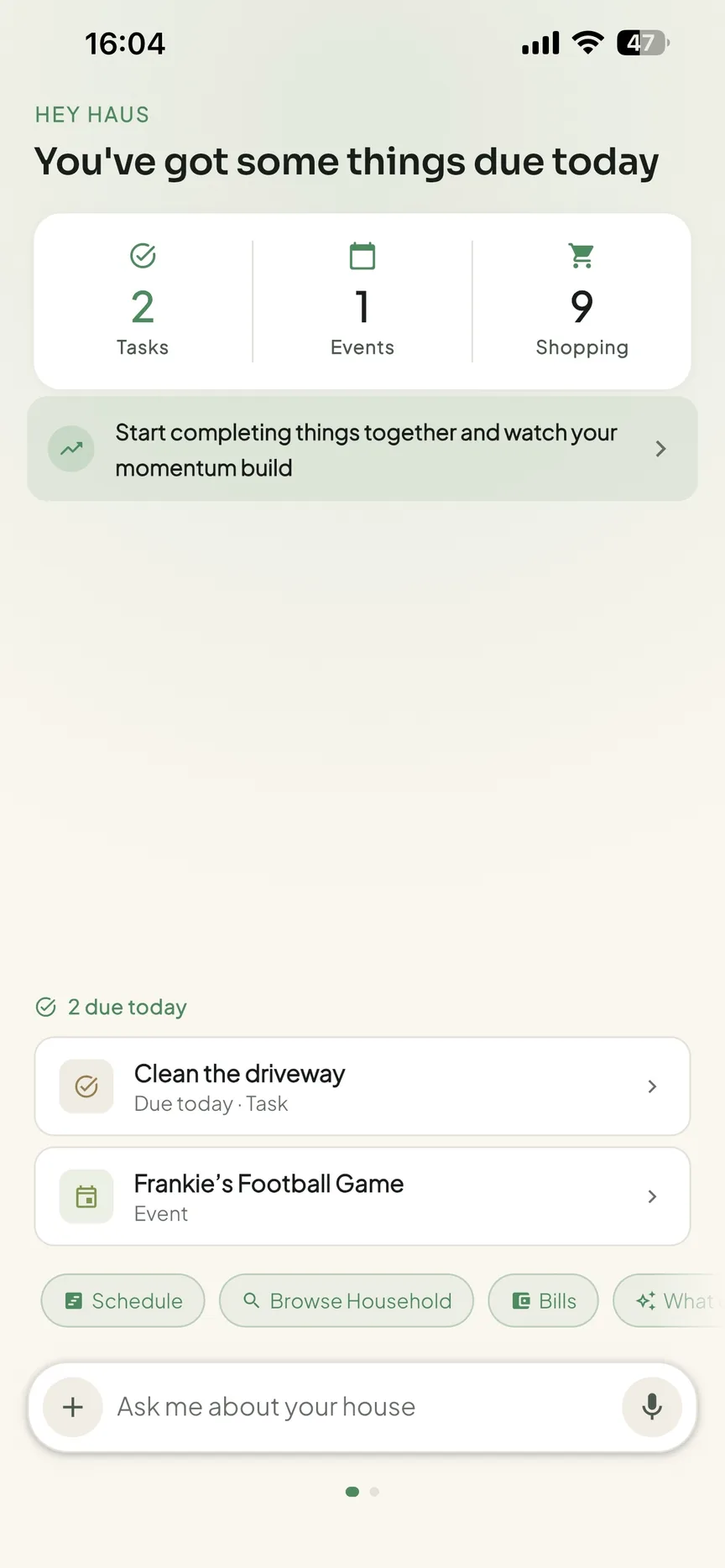
This household layer is exactly where OneHaus fits. It gives your home one shared calendar everyone can see, tasks and chores with automatic rotation so jobs move fairly between people, and an AI assistant you can talk to in plain language to capture a task or event the second it comes up. You can snap a photo of a letter or invitation and let the assistant add it, rather than retyping the details.
To be straight with you: OneHaus is a shared household app, not a dedicated solo time-blocking tool with a drag-to-block calendar grid.
If you want minute-by-minute personal blocking, pair it with a calendar app you already use (its calendar syncs one-way to Apple Calendar and Google Calendar, so your household blocks show up alongside your work ones). OneHaus handles the shared layer, the shopping, chores, meals, home admin and family events, that a personal time-blocking app was never built to hold.
Start with plain time blocking for a week, using the template above, then layer on the variation that fixes your specific pain: task batching if small jobs eat your day, day theming if you juggle several roles, timeboxing if you procrastinate or over-polish. Most people end up running a blend, and that is the point. Our guide to being organised at home ties these techniques together.
Try OneHaus free
Time blocking only works for a household if everyone can see the same plan. OneHaus gives your home one shared calendar, chores with automatic rotation, shopping lists and an AI assistant that captures tasks the moment they appear, so the blocks live somewhere the whole family can reach. Pair it with your favourite calendar app for personal blocking and let OneHaus handle the shared load.
Start your free 30-day trial, then one subscription covers everyone under your roof. Download OneHaus on iPhone, iPad, Apple Watch and Android.
Frequently asked questions
What is time blocking?
Time blocking is a time-management method where you divide your day into blocks and assign a specific task, or type of task, to each one. Instead of working from an open list, you decide in advance exactly when each thing happens, which removes constant decision-making and protects time for focused work.
How do I start time blocking?
Start by writing down everything you need to do, then block your fixed commitments into a calendar first (meetings, meals, the school run). Next, place your most important task in your highest-energy slot, batch small jobs into one admin block, and leave buffer between blocks for overruns. Review at the end of the day and adjust.
Time blocking vs a to-do list: which is better?
They are better together. A to-do list is the perfect holding pen for capturing tasks, but it has no sense of whether the work fits in a day. Time blocking takes the day's priorities off that list and commits them to specific slots, so use the list to capture and the calendar to commit.
Does time blocking actually work?
For most people, yes, because it removes decision fatigue, forces honest prioritisation, and protects uninterrupted focus. Cal Newport estimates a fully blocked 40-hour week produces as much output as an unstructured 60-plus-hour one. It takes a week or two of calibrating your time estimates before it feels natural, so expect a short learning curve.
What is the best app for time blocking?
The best solo tool is usually a calendar app you already live in, such as Google Calendar or Apple Calendar, because you can drag tasks straight into time slots. For a household, pair that with a shared app like OneHaus, which holds the family calendar, rotating chores and shared tasks that a personal time-blocking app was never designed to manage.
What is the difference between time blocking and timeboxing?
Time blocking decides when you will do a task by giving it a slot in your day. Timeboxing decides how long you will let a task take by giving it a fixed limit, then stopping when time is up. Timeboxing is especially useful for perfectionism and for open-ended tasks you keep avoiding.