OneHaus vs Maple (2026): Best Maple App Alternative
Maple is closing. Maple's own site says the app has been acquired by Wander and will sunset on 31 December 2026, after which accounts and data are deleted. Trade coverage of the Wander acquisition confirms it was a team acquisition rather than a purchase of the product. So this comparison is less about which app to sign up for and more about where Maple households go next. OneHaus covers the same daily ground, adds home inventory, and now ships meal planning too. Checked September 2026.
What is Maple?
Maple is a household management app for families and housemates who want to coordinate daily life in one place. Its feature set covers a shared calendar, task and chore management, shopping lists, meal planning, and chore assignment with scheduling.
Key features include:
- Shared calendar for household events and scheduling
- Task and chore management with assignment between members
- Chore rotation and scheduling
- Shopping lists with real-time sync
- Meal planning and recipe organisation
- Available on iOS, Android, and web
- AI assistant (Maple Assistant) that handles quick entry, generates custom to-do lists and meal plans, turns shared photos, PDFs and links into recipes and events, and runs scheduled routines such as summarising emails each morning or assigning overdue to-dos each evening
- Family email inbox for shared household communication
- Integrations with grocery services like Instacart
- File and photo uploads for household records
- Clean, modern interface
Maple built a genuinely capable app, and the closure is a shame rather than a verdict on the product. If you are still using it, the practical questions are what happens to your subscription and how much time you have. Maple says annual plans have stopped auto-renewing and monthly subscriptions run through to the shutdown date, and that anything you synced to Google Calendar, Apple Calendar or Outlook already lives in those calendars. Everything held only inside Maple goes when the app does.
What is OneHaus?
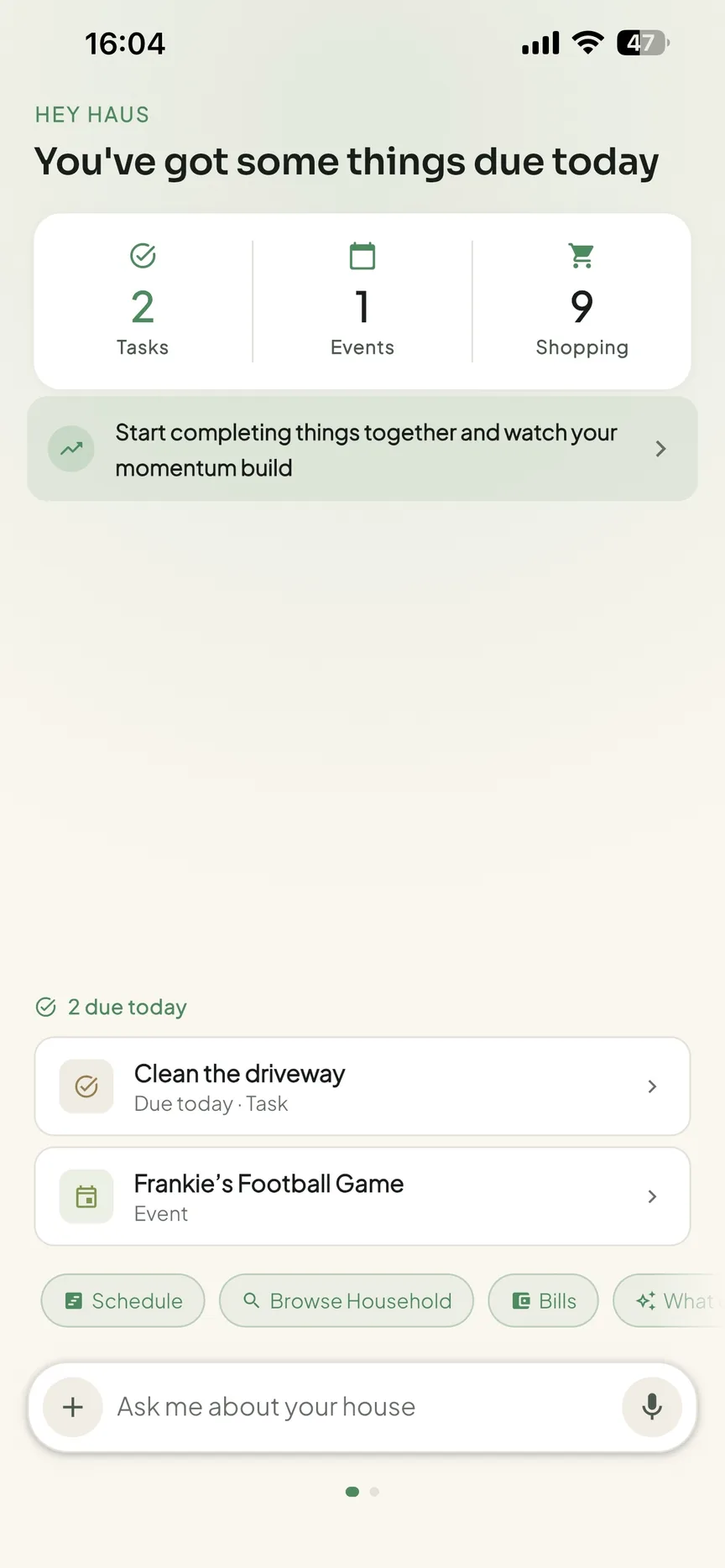
OneHaus is an AI-powered household management app built to bring the full picture of running a home into one place. It covers tasks with rotation and recurring schedules, a shared calendar that syncs with device calendars, collaborative shopping lists with automatic aisle sorting, meal planning with recipes, and a home inventory for tracking appliances, vehicles, documents, and subscriptions.
The AI assistant is built into the core of the app rather than added as a feature. You can tell it to add items to a shopping list, schedule an event, or assign a task using plain language. It understands your household context, who is in it, what is on the schedule, what tasks recur, and uses that to surface the right things at the right time.
OneHaus is available on iPhone, iPad, Apple Watch and Android, plus your favourite AI assistant, with a privacy-first approach to how household data is handled.
Feature Comparison
| Feature | OneHaus | Maple |
|---|---|---|
| Tasks and chores | Yes, with rotation | Yes, with assignment |
| Chore rotation | Yes | Yes |
| Shared calendar | Yes | Yes |
| Shopping lists | Yes, multiple named lists | Yes |
| Meal planning | Yes | Yes |
| Recipe management | Yes, including Discover recipes | Yes |
| Home inventory | Yes | No |
| AI assistant | Yes | Yes (Maple Assistant) |
| iOS and Android | iPhone, iPad, Apple Watch, Android | Yes |
| Web access | No | Yes |
| Available after 31 December 2026 | Yes | No, sunsetting |
| Pricing | Single subscription; annual plan with a trial | Free tier; Maple+ paid tier, now closing |
Key Differences
The one that decides it
Every other difference below is secondary to that date. Maple stops working on 31 December 2026 and the data goes with it, so the comparison is really between a product that is still being built and one that is being wound down. If you are reading this to pick a household app for next year, that settles it.
Similar scope, different strengths
Maple and OneHaus cover a lot of the same ground. Both target households that want more than a basic task list or a single shared calendar. Both include chore management, shopping lists, and scheduling. That shared positioning makes this a closer comparison than OneHaus versus a specialist app.
The real split is at the edges. Maple reached outward, into your email inbox and into Instacart, and put the whole thing on the web. OneHaus reaches downward into the house itself, tracking appliances, warranties, vehicles, documents and subscriptions alongside the day to day.
Meal planning
Meal planning used to be Maple's clearest advantage over OneHaus. It is not any more. OneHaus ships meal planning as part of OneHaus Pro: plan meals across the week, save recipes, browse the Discover recipe collection, and push a recipe's ingredients straight onto a shopping list so the weekly shop builds itself.
Maple's version was tightly wired into its AI assistant, which would draft a week of meals on request and pull recipes out of a shared photo, PDF or link. If that is how you plan, OneHaus asks you to do more of the choosing yourself.
AI assistance
Maple Assistant generates custom to-do lists and meal plans, turns shared photos, PDFs and links into recipes and events, and runs scheduled routines such as summarising your emails each morning or assigning overdue to-dos each evening. The email routines are the part with no OneHaus equivalent.
OneHaus includes a conversational AI assistant that understands your household context. You can type or speak plain language to add a task, schedule an event, or ask what is coming up this week. The assistant works across all areas of the app, including home inventory, so a single interaction can update several things at once. OneHaus Pro also connects the app to ChatGPT, Claude and Claude Code, so you can run your household from whichever assistant you already use.
Home inventory
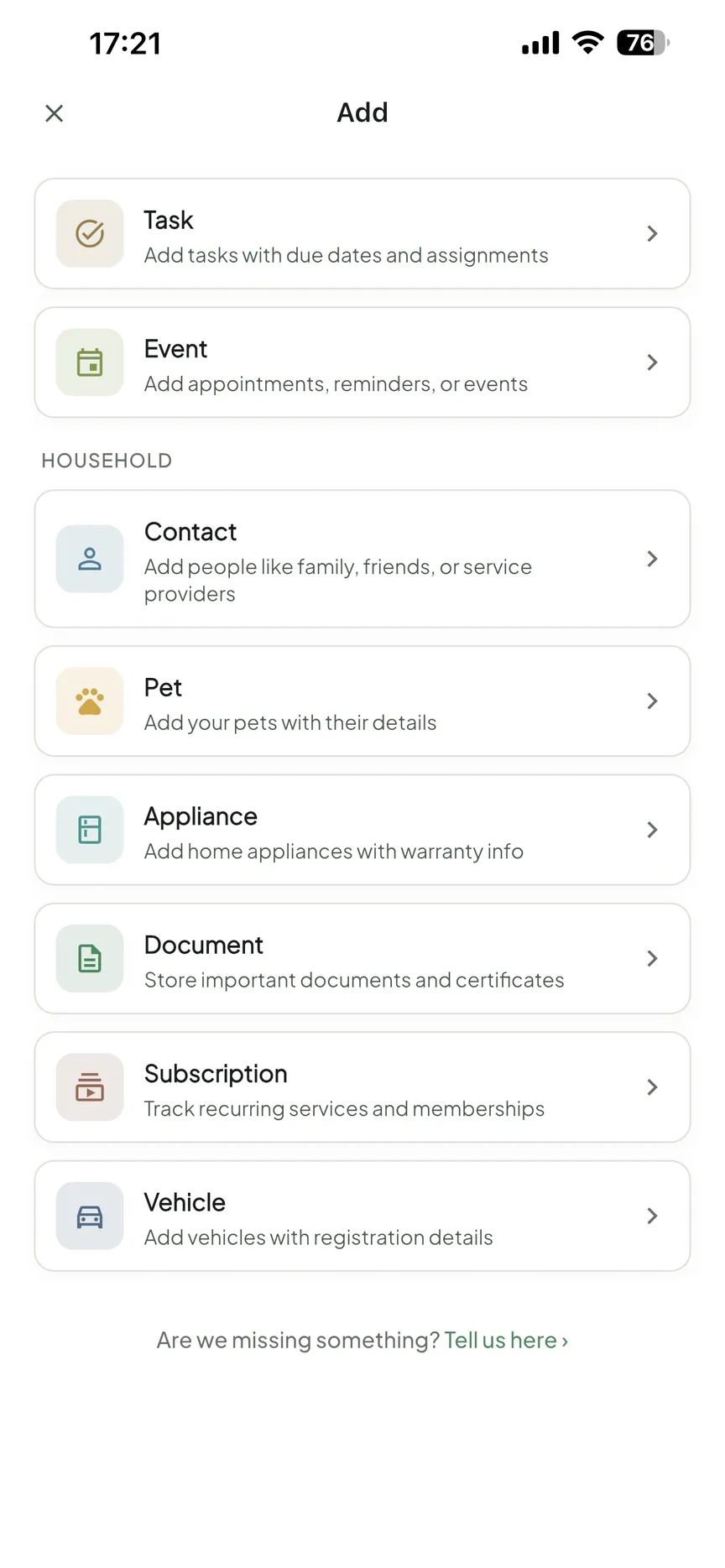
Maple focused on scheduling, tasks, and meal planning. There is no place within the app to record information about your home itself: appliances, warranties, vehicle details, household documents, or subscriptions.
OneHaus includes home inventory as a core feature. As a worked example, you can log a boiler with its model, purchase date, and warranty expiry, attach the receipt and the service contract, and OneHaus will surface a reminder before the warranty lapses or the next service is due. Important dates turn into prompts, so you are warned ahead of time rather than discovering the lapse after the fact. It is the kind of information that typically lives across a drawer, a spreadsheet, and a folder of emails until it is urgently needed.
Where Maple Was Stronger
Being honest about a competitor is easier when it is closing, so here is the real list.
Maple ran in a browser. OneHaus does not: it is an iPhone, iPad, Apple Watch and Android app, and if half your household coordinates from a work laptop, that is a genuine loss.
Maple's family email inbox and its scheduled routines had no OneHaus equivalent. Waking up to a summary of the household's email, or having overdue to-dos reassigned automatically each evening, is a real workflow that OneHaus does not replace.
Maple had a free tier. OneHaus does not: it is free to download with a 30-day trial, then one subscription for the whole household.
Maple also connected to grocery services like Instacart. OneHaus keeps the list in the app and sorts it by aisle instead of handing it to a delivery service.
Where OneHaus Works Better
OneHaus is the stronger choice when the scope of household management extends beyond scheduling and lists.
Home inventory addresses a category that most household apps ignore entirely. Warranties, appliance records, vehicle MOT dates, subscription renewals, and household documents are the kind of information that every household needs but rarely has organised. Keeping it in the same app as tasks and calendar means reminders and context are connected rather than scattered across separate tools.
The assistant reaches across all of that, not only tasks and meals, so you can ask about a warranty date and add a task about it in the same conversation.
And it will still be here in January.
If You Are Moving Off Maple
- Export or screenshot anything that lives only in Maple before 31 December 2026, because accounts and data are deleted afterwards
- Check Google Calendar, Apple Calendar or Outlook first, since events Maple synced there are already safe
- Rebuild recurring chores as OneHaus tasks with rotation, so the reassignment that Maple's routines did in the evening happens automatically
- Move meal plans and recipes into OneHaus meal planning, then push ingredients onto the shopping list
Who Should Choose OneHaus
OneHaus is a good fit if:
- You want a broader AI assistant that works across all household features including inventory
- Home inventory tracking is important for managing appliances, warranties, vehicles, or household documents
- You want one app that covers tasks, calendar, shopping, meals, and home records in one coherent system
- Your household runs from phones, tablets and watches rather than a browser
- You prefer an app built with a privacy-first approach to your household data
Try OneHaus Free
OneHaus is available on iPhone, iPad, Apple Watch and Android, plus your favourite AI assistant. It is free to download, then runs on a single subscription with an annual plan that includes a trial, so you can try every feature with your household before you are charged. If you have questions about moving a household off Maple, get in touch.
Frequently Asked Questions
Is Maple shutting down?
Yes. Maple says it has been acquired by Wander and will sunset on 31 December 2026, with all accounts and data deleted after that date. Annual plans have stopped auto-renewing and monthly subscriptions run to the shutdown date (checked September 2026).
Is OneHaus a good Maple alternative?
It covers the same daily ground: tasks with rotation, a shared calendar, shopping lists, meal planning and recipes, plus home inventory and an AI assistant that reaches into your home records. The two things it does not replace are Maple's web app and its family email inbox.
Does OneHaus have meal planning like Maple?
Yes. Meal planning ships as part of OneHaus Pro, with recipes, the Discover recipe collection, and one tap to add a recipe's ingredients to a shopping list.