OneHaus vs AnyList (2026): Best AnyList Alternative
AnyList is one of the best grocery and shopping list apps available. It solves a specific problem extremely well: coordinating what to buy, organising it by store aisle, and connecting that list to recipes and meal planning. If shopping coordination is your household's main friction point, AnyList earns its reputation.
OneHaus takes a different approach. It brings shopping lists together with tasks, a shared calendar, home inventory, and an AI assistant in a single app. The goal is not to be the best shopping list app. It is to cover everything a household needs to manage, in one place.
We use both apps day to day inside our own household, so this comparison is grounded in hands-on use rather than spec sheets. Pricing was checked June 2026.
What is AnyList?
AnyList is a shopping list and recipe management app designed around the grocery experience. It launched on iOS and has since expanded to Android, with a focus on making grocery runs easier for families and households.
Its defining feature is intelligent aisle sorting. Items you add to a shopping list are automatically grouped by store section, so you move through the supermarket in a logical order rather than backtracking across the shop. Lists sync across devices, so everyone in the household sees additions quickly.
Beyond shopping, AnyList includes a recipe manager that lets you import recipes from the web and add ingredients directly to your shopping list. A meal planning calendar integrates with the recipe library, helping with weekly dinner planning. Voice commands work through Siri and Alexa, so you can add items hands-free.
AnyList is available on iOS and Android. AnyList Complete subscribers also get access to a web app and a native Mac desktop app for managing lists and recipes from a computer. A free tier covers basic shopping lists and a limited number of recipes. AnyList Complete adds unlimited recipes, meal planning, web and desktop access, and additional features. The individual plan costs $9.99 per year and the household plan costs $14.99 per year (checked June 2026), making it one of the most affordable apps in its category.
What is OneHaus?
OneHaus is a household management app built for families and shared households. It brings several capabilities into one app: tasks and chores, a shared calendar, shopping lists with aisle sorting, recipes, home inventory, contacts, and an AI assistant.
The tasks feature supports recurring schedules and responsibility rotation, so regular household jobs are assigned consistently rather than defaulting to the same person each time. The shared calendar syncs with your device calendar, giving the whole household visibility into appointments, school events, and deadlines from a single view.
Shopping lists in OneHaus sync across all household members, with items automatically sorted by aisle. Recipes let you save and organise meals, with ingredients added to a shopping list directly. Home inventory lets you track appliances, vehicles, pets, important documents, and subscriptions, including warranty expiry dates and service schedules. The AI assistant understands natural language, so you can say things like "add washing powder to the shopping list" or "schedule a boiler service for next month" without navigating through menus.
OneHaus is available on iPhone, iPad, Apple Watch and Android, plus your favourite AI assistant. All features are included in a single subscription, with a free 30-day trial before you are charged. There is no per-member fee; the whole household is covered under one subscription.
Feature Comparison
| Feature | AnyList | OneHaus |
|---|---|---|
| Shopping lists | Yes, with real-time sync | Yes, synced across devices |
| Aisle sorting | Yes, automatic | Yes, automatic with manual override |
| Recipe management | Yes, import from web | Yes |
| Meal planning calendar | Yes | Yes, plan breakfast to snacks by day, send ingredients to your list |
| Tasks and chores | No | Yes, with rotation |
| Shared calendar | No | Yes, syncs with device calendar |
| Home inventory | No | Yes |
| AI assistant | Voice commands only (Siri/Alexa) | Full natural language AI |
| Pricing | Free tier; Complete $9.99/year individual, $14.99/year household | Single subscription; annual plan with a trial |
| iOS and Android | Yes | iPhone, iPad, Apple Watch, Android |
| Web app | Yes (Complete subscribers) | No |
| Desktop app | Yes, Mac (Complete subscribers) | No |
Key Differences
The clearest difference between these two apps is scope. AnyList goes deep on shopping and cooking. OneHaus goes broad across household management.
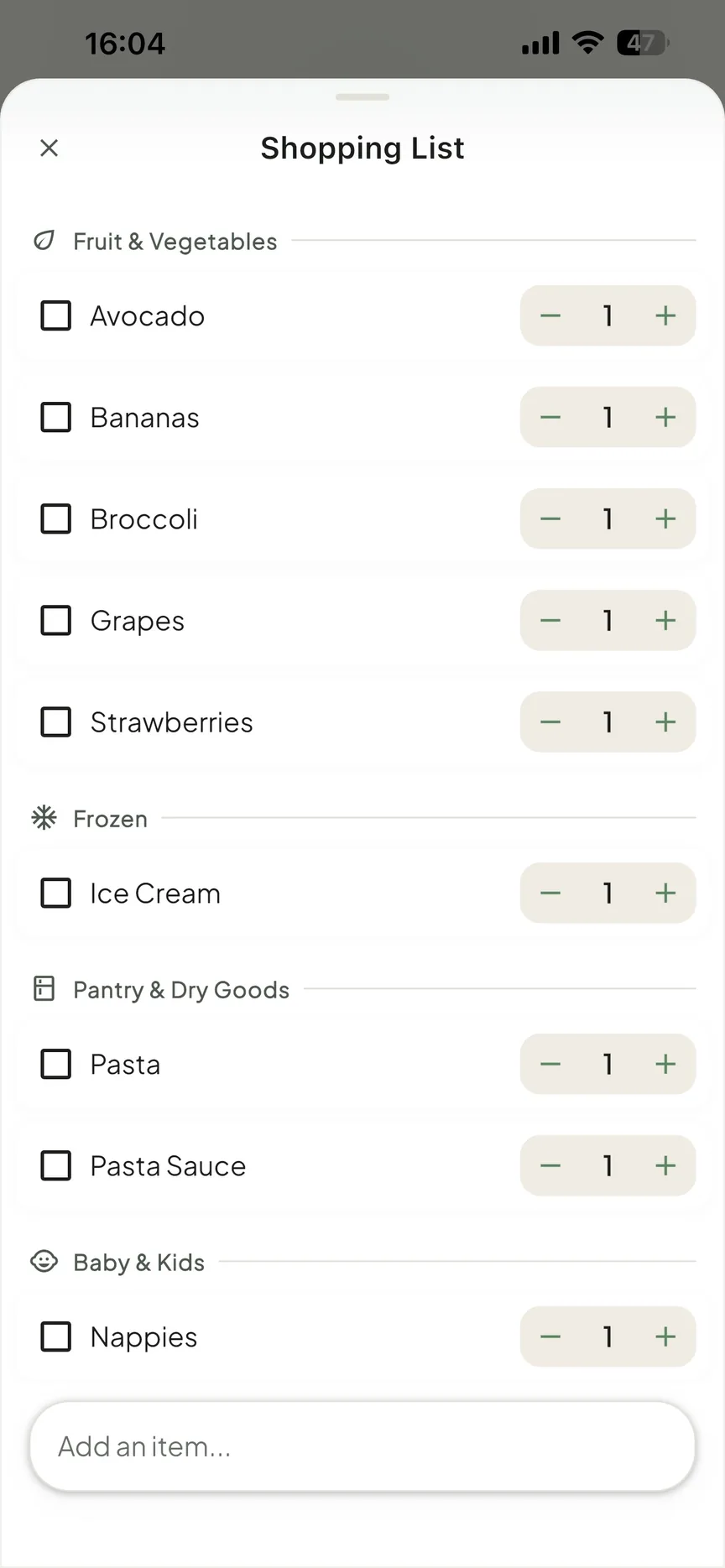
Shopping depth versus household breadth. Both apps offer aisle sorting and recipe management, but they integrate those features differently. AnyList's strength is its deeper integration connecting recipes to meal planning to shopping in a single workflow. You can browse a recipe, plan it into your week, and have the ingredients added to your list in a few taps. OneHaus offers aisle sorting and recipes alongside broader household features like tasks, calendar, and inventory, making it a more versatile tool overall.
Recipe and meal planning. Both apps connect recipes to a meal planning calendar. AnyList's recipe importer works with most major recipe websites, and planned meals flow directly into your shopping list. OneHaus lets you plan breakfast, lunch, dinner and snacks across the week from your saved recipes or custom meals, then send a day's or the whole week's ingredients to your shopping list in one go, with duplicate ingredients merged automatically. AnyList's importer is the more mature way to get a new recipe into the app in the first place; once a recipe is saved, the two apps' planning-to-shopping workflows are close.
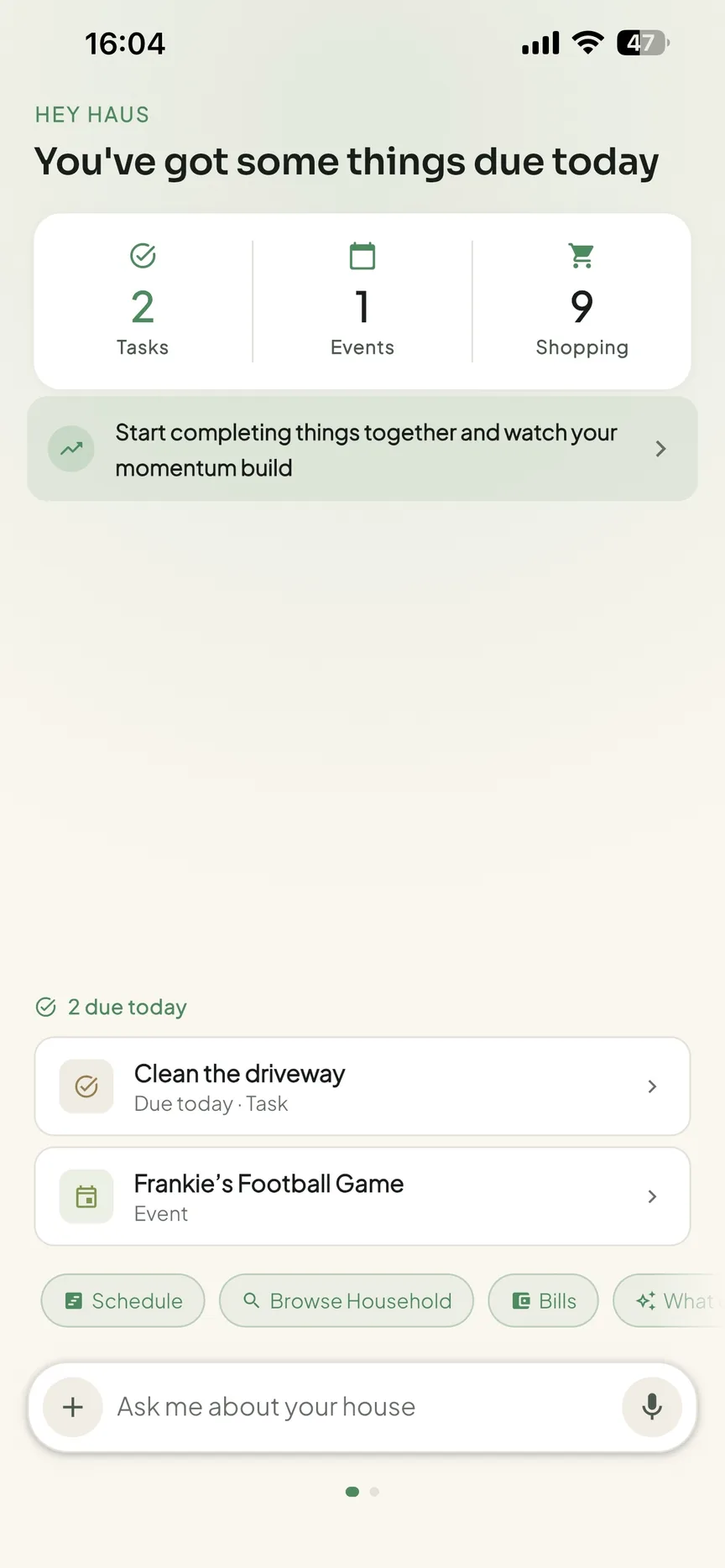
Task management. AnyList does not handle tasks or chores at all. It is focused on shopping and cooking, and it does not try to extend beyond that. OneHaus offers full task management with scheduling, assignment to specific household members, and rotation for recurring jobs. With rotation switched on, a recurring chore such as "clean the bathroom" advances to the next person in the rota each time it is completed, so the same task does not keep landing on one person week after week. If your household needs a place to track chores, appointments, and responsibilities alongside shopping, AnyList cannot cover that.
Home inventory. AnyList has no inventory tracking. OneHaus lets you record appliances, vehicles, pets, warranties, and important documents, making it easier to know when something needs attention, whether that is a boiler service, a car MOT, or a subscription renewal.
AI capabilities. AnyList supports voice commands through Siri and Alexa, which is convenient for hands-free additions to a shopping list. OneHaus includes a broader AI assistant that understands your household context and can take actions across tasks, calendar, shopping, and inventory using natural language.
Where AnyList Works Better
AnyList is the stronger choice when the focus is grocery management and cooking.
Both apps offer aisle sorting, but AnyList has iterated on this feature for years and offers a mature, refined experience. Its store-specific sorting and deep customisation options reflect that maturity, which may matter for households that shop at multiple stores with different layouts.
Recipe management is available in both apps, but AnyList's web recipe importer sets it apart. You can grab a recipe from almost any cooking website and have it saved in the app with ingredients ready to add to a list, which is currently a smoother start-to-finish workflow than saving a recipe manually in OneHaus.
The price point is also notable. AnyList Complete at $9.99 to $14.99 per year (individual or household plan, checked June 2026) is among the lowest costs for any household app with meaningful features. For a household that only needs shopping and recipe coordination, the value is strong.
Where OneHaus Works Better
OneHaus covers more of the household surface area, which makes it a better fit when shopping is only one of several things you need to coordinate. It now also includes aisle sorting and recipe management, so households choosing OneHaus do not have to sacrifice shopping features for broader household management.
Task rotation means recurring household jobs are distributed fairly rather than relying on the same person to remember. Chores like cleaning bathrooms, taking out bins, or doing laundry can be scheduled and rotated automatically, with the right person seeing what is theirs without everyone seeing everyone else's tasks.
The shared calendar gives the whole household a single view of what is coming up. It can sync to your device calendar, and if you turn on two-way sync, events created elsewhere can appear in OneHaus too. AnyList has a meal planning calendar, but nothing that covers household appointments, school events, or general scheduling.
Home inventory is useful over the long term. Knowing when a warranty expires, when a vehicle service is due, or where an important document is stored is not something most people think about until they need it. OneHaus keeps that information organised in one place.
The AI assistant in OneHaus is more capable than AnyList's voice command support. It can create tasks, add calendar events, update shopping lists, and answer questions about your household across all the app's features. It understands context, so you can ask "what do I need to do this week" and get a relevant answer based on your actual schedule and tasks.
Who Should Choose AnyList
AnyList suits households where grocery coordination and cooking are the primary pain points. It works well for:
- Households that do large weekly grocery shops and want a faster, better-organised experience at the store.
- Families that cook regularly and want a fast, one-tap way to import recipes from cooking websites.
- Households on a tight budget who need a capable app at minimal cost.
- People who want a simple, focused app without broader household management features.
Who Should Choose OneHaus
OneHaus suits households looking to manage more than just shopping in one place. It works well for:
- Families that need to track chores and responsibilities alongside shopping and calendar events.
- Households where multiple people need visibility into tasks, events, and shopping without using separate apps.
- Anyone who wants to track home appliances, warranties, vehicles, or pets in the same app they use for daily tasks.
- Households that want AI-assisted management across tasks, calendar, shopping, and inventory.
- Families who want to avoid paying per person, since OneHaus covers the whole household under one subscription.
Try OneHaus Free
OneHaus includes a free 30-day trial. You get full access to every feature, including tasks, calendar, shopping lists, home inventory, and the AI assistant, before you are charged. If it does not work for your household, cancel before the trial ends and you will not pay anything.
Download OneHaus on iPhone, iPad, Apple Watch and Android, plus your favourite AI assistant.
Frequently Asked Questions
How much does AnyList cost?
AnyList has a free tier, and AnyList Complete costs $9.99 per year for an individual or $14.99 per year for a household (anylist.com/complete, checked June 2026). Complete adds unlimited recipes, meal planning, and web and Mac desktop access.
Is OneHaus a good AnyList alternative?
Yes, if you want AnyList's shopping list and aisle sorting plus chores, a shared calendar, home inventory, and an AI assistant in one app. OneHaus has a 30-day free trial, then one subscription covers the whole household with no per-member fee. If you only need grocery and recipe coordination, AnyList remains an excellent, low-cost choice.
Does OneHaus have aisle sorting like AnyList?
Yes. OneHaus shopping lists sort items into aisle categories automatically, with a manual override if your store has a different layout.
Does OneHaus do meal planning?
Yes. Plan breakfast, lunch, dinner and snacks across the week from your saved recipes or custom meals, then send a day's or the whole week's ingredients to your shopping list in one tap, with duplicates merged automatically. AnyList's web recipe importer is still the faster way to get a new recipe into the app in the first place.