OneHaus vs Calendara (2026): Best Calendara Alternative
Calendara is an AI family calendar app that turns photos of school flyers, schedules, and lists into shared events. OneHaus takes a wider remit: it adds tasks with automatic rotation, aisle-sorted shopping, recipes, and home inventory. All of it sits on top of a shared calendar that syncs with Apple and Google, with a natural-language AI assistant to capture things hands-free.
We spent time in both apps for this comparison: running a printed school newsletter through Calendara's photo capture, and setting up a rotating chore schedule plus a warranty record in OneHaus.
What is Calendara?
Calendara describes itself as "the AI family calendar app that turns photos into shared events." Its standout idea is photo capture: you take a picture of a school calendar, sports schedule, grocery list, homework sheet, chore chart, or recipe card, and Calendara reads it and turns it into the right kind of entry. The site claims "90%+ accuracy on printed or handwritten text."
Around that, Calendara bundles a colour-coded shared family calendar, shopping and to-do lists with real-time sync, and task and chore assignment with due dates and reminders. Items can be added by photo, voice, or text. A recipe box with meal planning is listed as "Coming Soon." Calendara offers two-way Google Calendar sync today, with Apple Calendar and email sync listed as coming soon and no mention of Outlook, plus QR code and invite-link sharing with "unlimited family members on every plan."
On pricing, Calendara is free during Early Access with no credit card required, and households who joined during early access keep that free access once paid plans start. Everyone else gets a 7-day full-access preview and then pays $4.99 a month or $39.99 a year. Calendara is an iPhone app requiring iOS 15.1 or later, with no Android or web version listed (checked September 2026, usecalendara.com).
What is OneHaus?
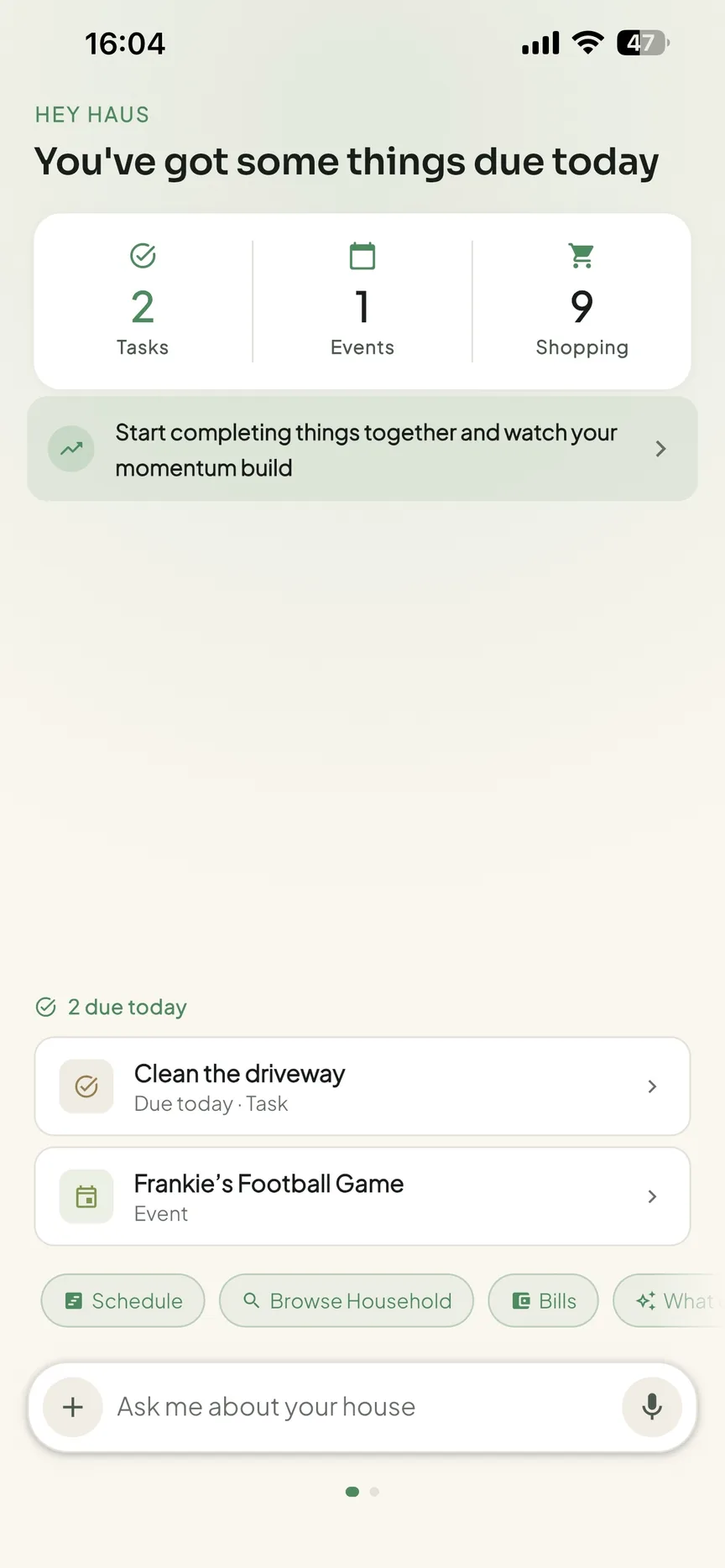
OneHaus is an AI-powered household management app built for households that need more than a shared calendar and a couple of lists. It brings tasks, a shared calendar, shopping lists with automatic aisle sorting, recipes, home inventory, and an AI assistant into one app.
Tasks in OneHaus support rotation, so chores can be distributed fairly across household members without manual reassignment each week. The AI assistant lets you add tasks, shopping items, and calendar events using natural language rather than filling in forms. The shared calendar syncs with both Apple Calendar and Google Calendar. Home inventory lets you log items around the house, including warranties, documents, and expiry dates.
OneHaus is available on iPhone, iPad, Apple Watch and Android, plus your favourite connected AI assistants. It's built with a privacy-first approach, keeping household data secure and not using it for advertising. OneHaus is free to download, with a 30-day trial, and then a single household subscription that covers everyone who lives with you.
Feature Comparison
| Feature | Calendara | OneHaus |
|---|---|---|
| Shared calendar | Yes, colour-coded by member | Shared household calendar |
| Photo-to-event capture | Yes, core feature (school flyers, schedules, lists) | Not available |
| External calendar sync | Two-way Google sync live; Apple Calendar and email listed as coming soon | Apple Calendar and Google Calendar |
| Tasks and chores | Assign with due dates and reminders | Tasks with configurable rotation and scheduling |
| Chore rotation | Not stated | Built-in rotation across household members |
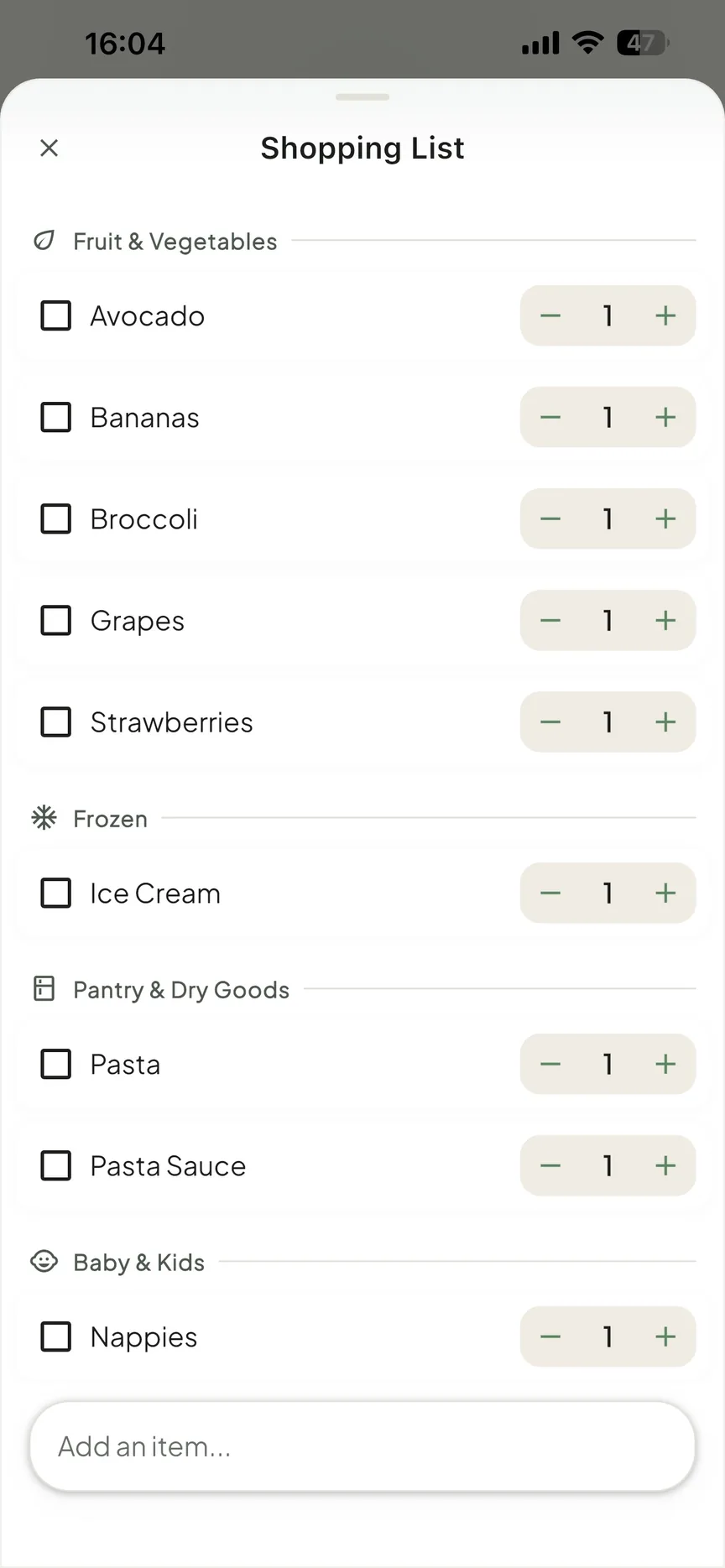
| Shopping lists | Real-time sync; add by photo, voice, or text | Synced across devices, aisle-sorted, multiple lists |
| Recipes and meal planning | Listed as Coming Soon | Recipes available now |
| Home inventory | Not available | Track items, warranties, documents, and expiry dates |
| AI assistant | Photo recognition into the right entry | Natural language input across tasks, shopping, and calendar |
| Pricing | Free during Early Access, then $4.99/mo or $39.99/yr after a 7-day preview | Free to download, 30-day trial, one household subscription |
Key Differences
Photo Capture vs Natural Language
Calendara's signature feature is turning photos into entries. You snap a school flyer or a sports schedule and it extracts the events for you. For families drowning in paper handouts, that's a genuinely useful party trick, and it's the thing Calendara leans on hardest.
OneHaus approaches AI from a different angle. Its assistant is conversational: you describe what you need in plain language and it routes the request. Saying "add pasta to the shopping list" or "book a boiler service for next month" creates the right item without navigating menus. Both apps use AI, but Calendara optimises for capturing what's already printed, while OneHaus optimises for capturing what's in your head.
Calendar Depth vs Household Breadth
Calendara is built around the family calendar, with photo capture and colour-coded member views as the centre of gravity. If your main need is getting a shared schedule populated quickly from the steady stream of school and activity paperwork, that focus is a real strength.
OneHaus treats the shared calendar as one component alongside tasks, shopping, recipes, and home inventory. The trade-off is that OneHaus's calendar is less specialised than a dedicated calendar tool, but the overall scope of what OneHaus covers is wider.
Household Management Beyond the Calendar
Calendara covers calendar, lists, and chore assignment, with recipes flagged as coming soon. It does not offer home inventory, and its chore handling is about assigning tasks to members rather than rotating them automatically.
OneHaus brings tasks with rotation, aisle-sorted shopping, recipes, and home inventory together in one place. Logging appliances, warranties, vehicle records, and household documents alongside the calendar is something Calendara doesn't attempt. For households trying to reduce the number of separate tools they juggle, that consolidation matters.
Pricing Clarity
Calendara is free during Early Access with no credit card required, and households who joined during early access keep free access once pricing starts. Everyone else gets a 7-day preview and then pays $4.99 a month or $39.99 a year (checked September 2026, usecalendara.com).
OneHaus is free to download with a 30-day trial, then a single household subscription that covers everyone in the home. You know upfront what the model is: one subscription, no per-seat charges, and no advertising.
Where Calendara Works Better
Calendara's photo-to-event capture is its strongest card. If your household runs on printed school calendars, activity flyers, and handwritten lists, the ability to photograph them and have the events extracted is a real time-saver that OneHaus does not match.
Its Early Access pricing is hard to argue with right now. Free with no credit card, and households who join during early access keep that free access when paid plans arrive, so it is low-risk to trial today.
Calendara's calendar focus, with colour-coding by member and per-device views, is well suited to families whose primary need is a clear shared schedule rather than broader household management. Its two-way Google Calendar sync is live today, though Apple Calendar sync is still listed as coming soon.
Where OneHaus Works Better
OneHaus covers household management in ways Calendara doesn't attempt.
Task rotation solves a common household problem without ongoing effort. Once chores are configured, they cycle through members automatically, rather than needing to be assigned by hand each week.
Home inventory fills a gap most apps in this category ignore. Logging appliances, warranties, vehicle records, and household documents in one place, linked to the app your household already uses for everything else, removes the need for a separate filing system or scattered spreadsheets.
Recipes are available now in OneHaus, where Calendara lists them as coming soon. If meal planning and saved recipes matter to your household today, OneHaus already covers it.
The natural-language AI assistant makes capturing things fast and low-friction across tasks, shopping, and calendar as well as from photos. And OneHaus's pricing is settled and transparent: a 30-day trial then one household subscription, with no advertising and a privacy-first approach to your data.
Who Should Choose Calendara
Calendara is a strong fit for families whose biggest pain is the flood of printed and handwritten paperwork. If you regularly receive school calendars, sports schedules, and activity flyers and want them turned into shared events with a quick photo, Calendara is built around exactly that.
It also suits anyone who wants to try a capable family calendar at no cost right now, given the Early Access offer, and households whose core need is a clear, colour-coded shared schedule rather than wider household management.
Who Should Choose OneHaus
OneHaus suits households that want to manage more than their calendar in a single app. If you're running separate tools for tasks, shopping lists, recipes, and calendar, and want to bring them together with home inventory and a natural-language AI assistant on top, OneHaus is designed for that.
It's also the better choice where chore rotation matters, where the same people end up doing the same things each week because nothing distributes tasks automatically. And for households that want settled, transparent pricing and a privacy-first, ad-free approach, OneHaus is worth a look.
Try OneHaus Free
If you're looking for a Calendara alternative that covers tasks, calendar, shopping, recipes, inventory, and AI in one app, give OneHaus a try. It's free to download on iPhone, iPad, Apple Watch and Android, with a 30-day trial before a single household subscription covers everyone.
Download OneHaus to get started on iPhone, iPad, Apple Watch or Android.
Frequently Asked Questions
Is Calendara free?
Yes, for now. Calendara is free during Early Access with no credit card required, and households who joined during early access keep free access once paid pricing starts. Everyone else gets a 7-day preview, then pays $4.99 a month or $39.99 a year (checked September 2026, usecalendara.com).
Does Calendara do meal planning and recipes?
Calendara lists a recipe box and an AI meal planner as "Coming Soon" rather than live features (checked June 2026, usecalendara.com). OneHaus has recipes available today.
What does OneHaus do that Calendara doesn't?
OneHaus adds tasks with automatic chore rotation, aisle-sorted shopping lists, and home inventory for warranties, documents, and expiry dates. Calendara focuses on the shared calendar and photo-to-event capture.
Does OneHaus sync with Apple and Google Calendar?
Yes. OneHaus's shared household calendar syncs with both Apple Calendar and Google Calendar.