OneHaus vs Sense (2026): Sense AI Family Organizer Alternative
Sense is an AI family organiser that takes forwarded email and photos and starts free. OneHaus connects to an inbox and reads it for you, and adds home inventory, which Sense does not describe. Sense lets kids tick off their own chores and runs a wall display on an old tablet, which OneHaus does not. Competitor details checked November 2026, except the prices, which were last checked October 2026.
What is Sense?
Sense: AI Family Organizer pulls dates onto a shared family calendar from email, photos, screenshots, WhatsApp, PDFs, voice and the share sheet. It also covers chores assigned to family members, shared lists that fill from messages, meal planning and recipes. Its site says it can flag schedule conflicts when a change arrives.
Kids can check off their own chores for "feathers", and an October update added chore approvals from kids' devices, recipe categories and travel time zones. A free "Sense Hub" display mode turns any tablet into a wall-mounted family display. The site also mentions Alexa and Siri.
Email works by forwarding. Sense says it "only reads what you share or forward", so nothing happens until you send a message to its address. The site also says it does not sell your data, has no advertisers, and does not use conversations to train AI models.
Sense runs on iPhone, iPad and Apple Watch (App Store listing), on Mac, on Android through Google Play, and on the web at app.getsense.ai.
On the pricing page, the free plan includes 10 AI actions a month. Premium adds unlimited AI actions, calendar sync with Google, iCloud and Outlook plus school and sports calendars, and medication tracking, and one Premium subscription covers unlimited family members. The App Store lists Premium at $6.99 a month or $59.99 a year. The pricing page shows a different monthly figure, so use the App Store price when you compare.
What is OneHaus?
OneHaus is an AI-powered household management app. It brings tasks with rotation, a shared calendar, shopping lists, meal planning and recipes, home inventory, bills and subscriptions, and Ask OneHaus into one place.
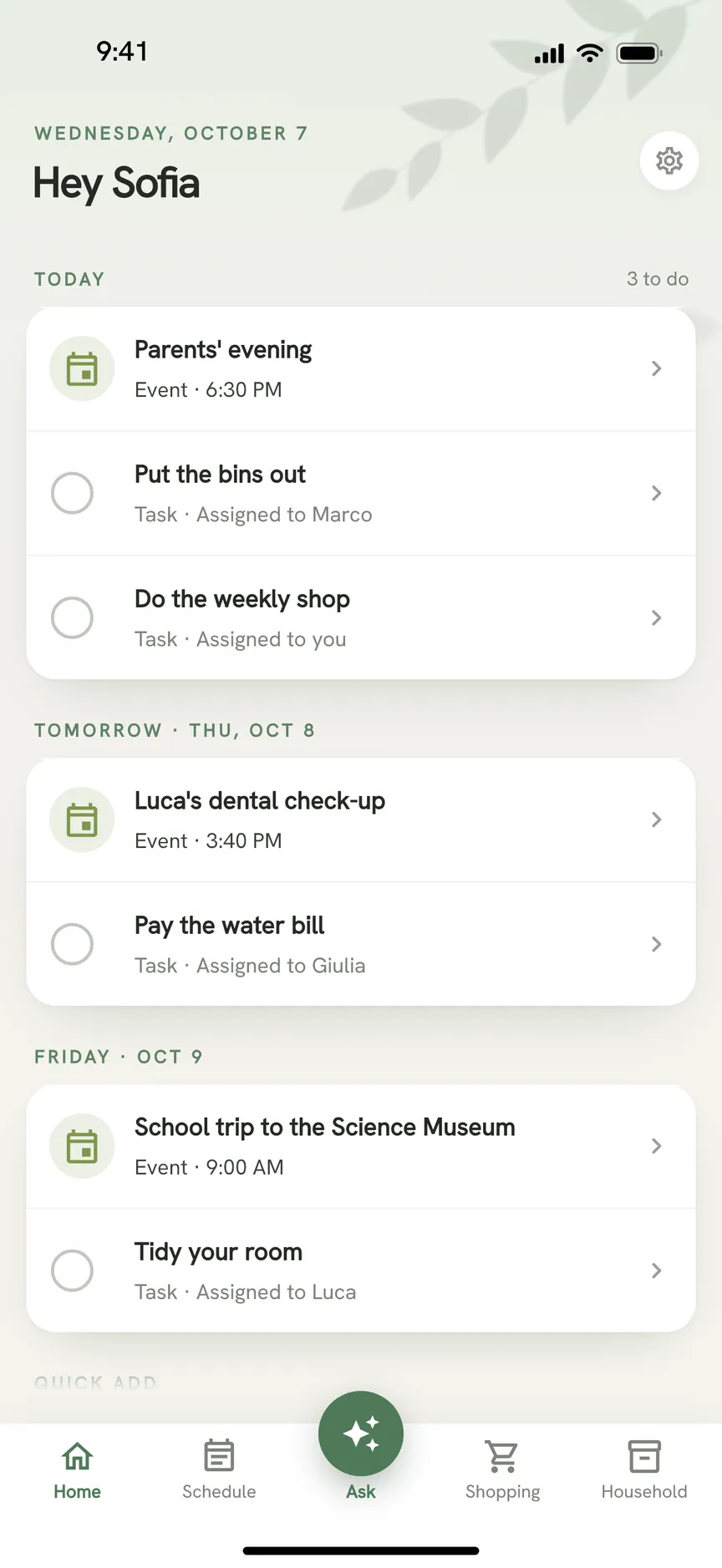
OneHaus is available on iPhone, iPad, Apple Watch and Android, and through connected AI assistants. It is free to download with a 30 day trial, then one household subscription covers everyone who lives there.
Feature Comparison
| Feature | Sense | OneHaus |
|---|---|---|
| Forward to a Sense address | Connects an inbox and suggests items for you to review | |
| Photos, PDFs, voice | Yes, plus forwarded WhatsApp class-group messages | Photos, PDFs, typed and spoken requests, shares from other apps |
| Shared calendar | Yes; Google, iCloud and Outlook sync is Premium | Yes; syncs with your phone's calendar, one-way by default, two-way optional |
| Chores | Assigned with reminders; kids check off their own and parents approve from the kids' devices | Tasks with recurring schedules and rotation; family members without a login can be assigned tasks |
| Lists and meals | Shared lists, meal planning, recipes | Aisle-sorted lists, meal planning, recipes |
| Home inventory | Not described | Appliances, vehicles, pets, warranties, documents |
| Free tier | 10 AI actions a month | Tasks and shopping lists after the 30 day trial; the rest is OneHaus Pro |
| Wall display | Free "Sense Hub" mode on any tablet | No |
| Platforms | iPhone, iPad, Apple Watch, Mac, Android, web | iPhone, iPad, Apple Watch, Android, connected AI assistants |
| Paid price | Premium $6.99/mo or $59.99/yr (App Store) | One household subscription |
Key Differences
Forwarding versus a connected inbox
With Sense you decide which messages it sees, one forward at a time. That is a clear privacy line, and it needs no setup beyond saving an address.
OneHaus works the other way. You connect an inbox (up to 3 per household) and it looks through the last 60 days, then checks for new mail roughly every hour. It skips spam, marketing and newsletters, and suggests bills, renewals, appointments, documents, vehicles and tasks for you to add or dismiss. Nothing is added until you review it unless you switch on automatic adding.
What it keeps from your email is short:
- The text of your emails is never stored.
- Suggestions are deleted once you review them, or after 7 days if you don't.
- Health emails are skipped.
- OneHaus never sends or deletes your mail.
- Your email credentials are encrypted at all times, and your data is encrypted at rest.
The email privacy page has the detail. Email inboxes are part of OneHaus Pro.
Home inventory
Sense's site describes calendar, chores, lists and meals. OneHaus adds a place for the house itself: appliances, vehicles, pets, warranties and documents. A renewal email can turn into a document filed against the right item, and the app reminds you before a warranty lapses.
Free tier and price
Sense lets you try the AI for free, up to 10 actions a month, and a family can stay free by keeping within that. Premium is $59.99 a year on the App Store for the whole family.
OneHaus has a 30 day trial, then one household subscription for everyone who lives there. After the trial, only one-off tasks and shopping lists stay free.
Where Sense Works Better
Sense has a free tier. If your household can live with 10 AI actions a month, it costs nothing.
It runs on the web at app.getsense.ai and on Mac. OneHaus has no web app and no Mac app.
Kids can tick off their own chores, with approvals from their devices, and a free Hub mode turns an old tablet into a wall display. OneHaus has neither: family members without their own login can be assigned tasks, but they cannot tick them off themselves.
It takes forwarded WhatsApp class-group messages as a source and syncs directly with Google, iCloud and Outlook calendars on Premium. OneHaus syncs through the calendar on your phone and does not connect to those accounts directly.
Forwarding keeps you in control of exactly which emails it sees.
Where OneHaus Works Better
OneHaus connects to the inbox itself, so renewals and bookings are caught without you remembering to forward them.
Home inventory has no equivalent in Sense's listing.
Everything goes through review first: email suggestions, photos and PDFs are added only when you confirm them.
One household subscription covers the whole household, with chore rotation, aisle-sorted shopping and meal planning in the same app.
Who Should Choose Sense
Sense suits a household that wants to start free, forward the emails that matter, give the kids their own chore list, and put a spare tablet on the wall, with a web app alongside iPhone and Android. It also suits anyone who prefers to hand over email one message at a time.
Who Should Choose OneHaus
OneHaus suits a household that wants its inbox watched for bills and bookings, and wants warranties, appliances and vehicles kept alongside tasks, meals and the calendar.
Frequently Asked Questions
Is Sense free?
Partly. The Sense pricing page lists a free plan with 10 AI actions a month, with unlimited actions and calendar sync on Premium (checked October 2026). OneHaus is free to download with a 30 day trial.
How much is Sense Premium?
The App Store listing shows $6.99 a month or $59.99 a year, and one Premium subscription covers unlimited family members (checked October 2026). Sense's own pricing page gives a different monthly figure, so check the price at purchase.
Does Sense connect to my email?
Not as an inbox. Sense says it only reads what you share or forward (checked November 2026). OneHaus connects an inbox and suggests items for you to review.
Is OneHaus a good Sense alternative?
Yes, if you want email read for you and home inventory alongside tasks, shopping and meals. Stay with Sense if you need a free tier, a web app, kids ticking off their own chores or a wall display.
Try OneHaus Free
OneHaus is free to download on iPhone, iPad, Apple Watch and Android with a 30 day trial.